When a Port State Control officer asks who was aboard between two dates, the answer comes off the Visitors page in the admin panel. Every check-in on the gangway iPad is already in it. This article covers the board itself, how to find a past visit, and the PDF export you hand over at an inspection.
The Visitors board
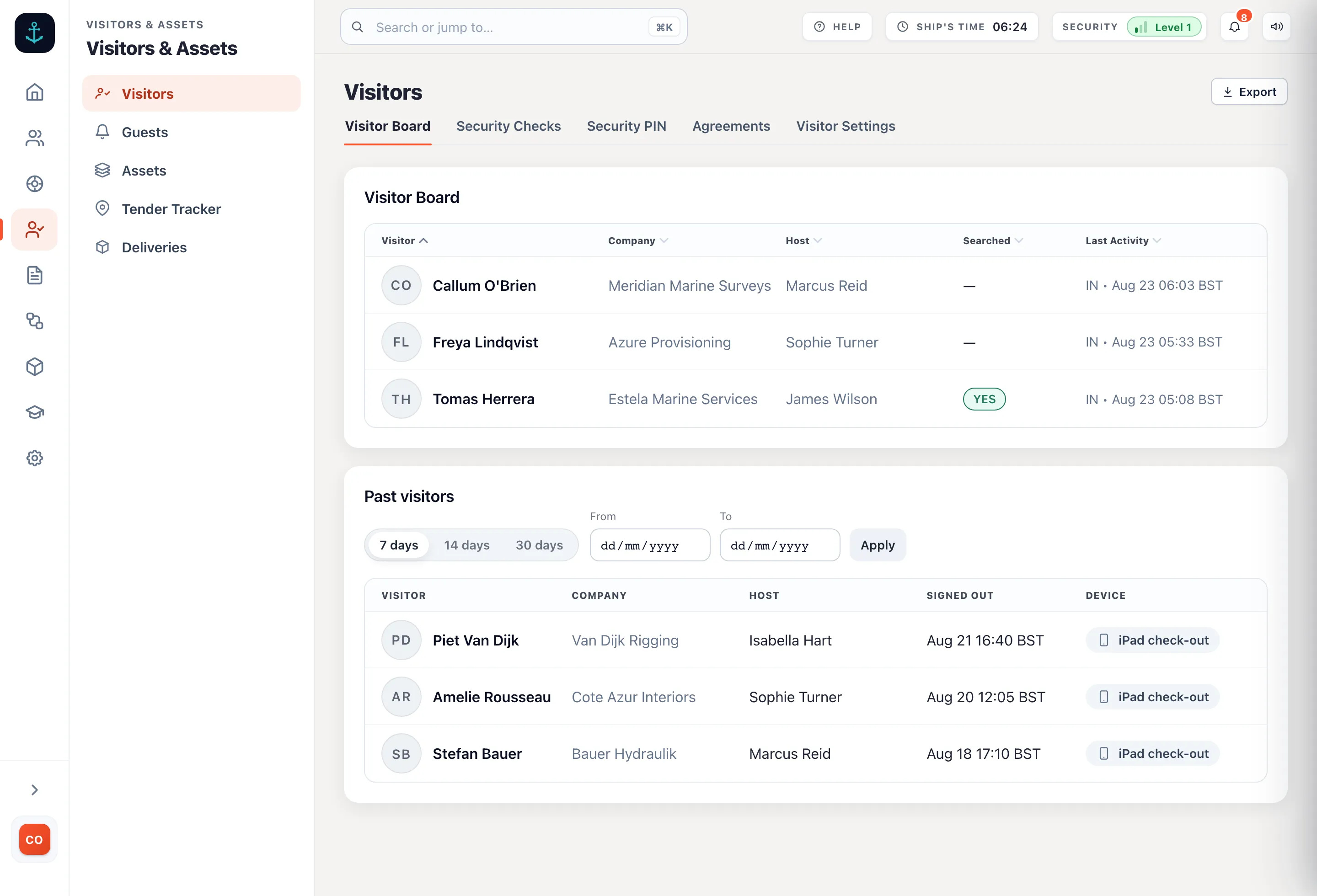
Open Visitors in the admin panel. The page is two lists. The Visitor Board at the top shows everyone aboard right now: their photo or initials, company, host, whether they were searched, and their last activity. Press a column heading to sort by it, so a gangway full of contractors groups by company or by the crew member hosting them. Sign out is one press. Below it, Past visitors shows everyone who has signed out, with the sign-out time and how the check-out was recorded, whether that was the iPad, the admin panel or the automatic checkout.
Finding a past visit
Past visitors opens on the last 7 days. Press 14 days or 30 days to widen it, or set a From and To date and press Apply to point it at any period, the week of a yard visit, say, or the dates an inspector names. Every row shows who came, their company, who hosted them and when they signed out.
When you know who you are looking for but not when they came, use the search box in the Past visitors header instead. It searches every past visit by name, company or host, not just the dates on screen, so a contractor who was aboard eight months ago is one search away. Picking a date range again returns you to the period view.
Press a row to open the full record of the visit: the photo taken at check-in, the check-in and check-out times, and the search details where there was one, including the crew member who carried it out and the type of ID shown. The agreement the visitor signed is kept with the visit as evidence, and it holds the wording that was in force on the day it was signed, even if you have replaced your terms since.
Departures stay honest even when the gangway missed one. A visitor whose sign-out was forgotten can have the departure time corrected afterwards, and the record keeps who changed it, when and why.
The export
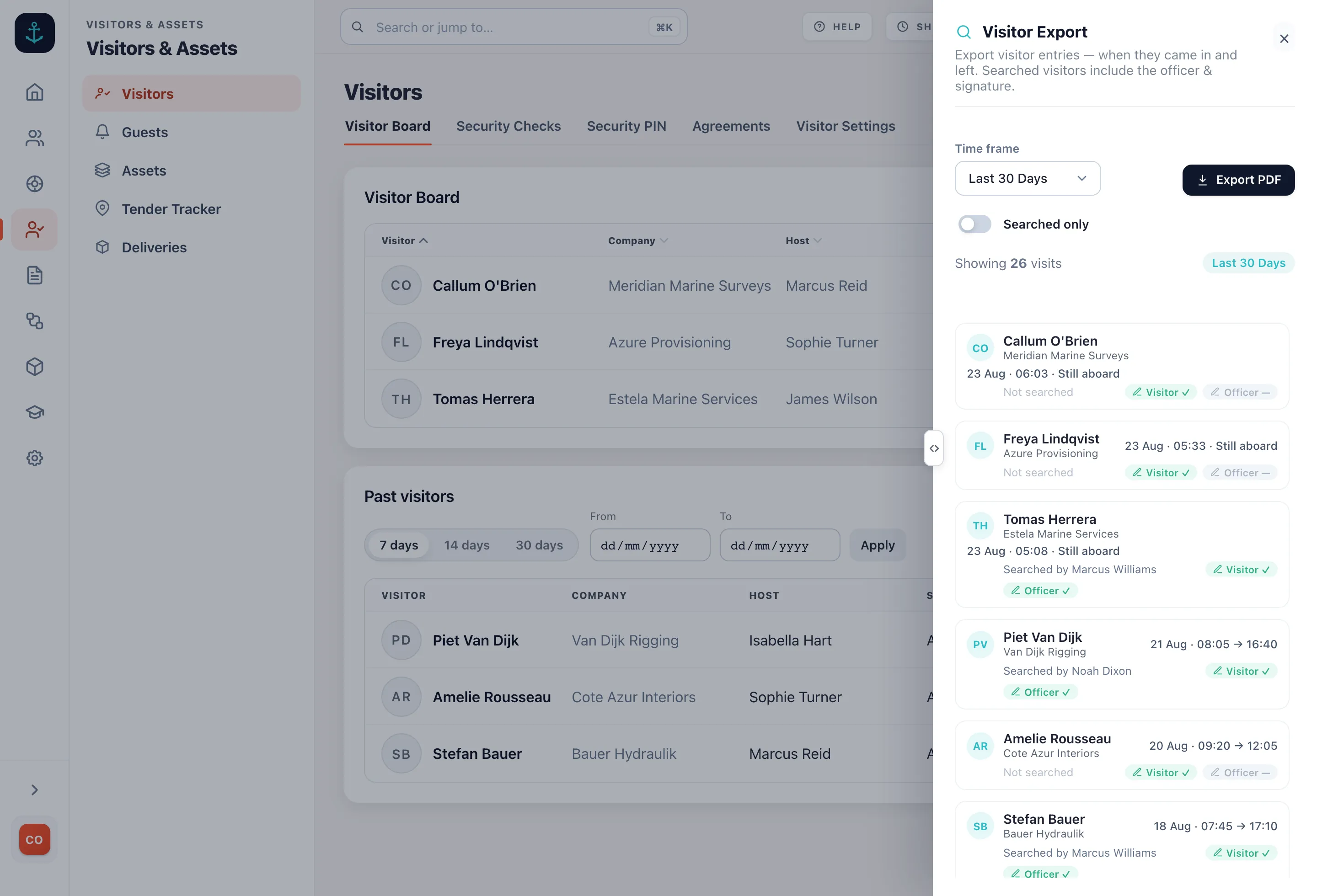
Press Export at the top right of any Visitors page. The Visitor Export panel lists every visit in the time frame, one entry per visit, with the check-in and check-out times and who carried out the search where there was one. The time frame is the last 7, 30 or 60 days, or a custom date range covering up to 90 days. Turn on Searched only to cut the list down to visits where a security search was recorded. The count above the list updates as you narrow it.
The PDF
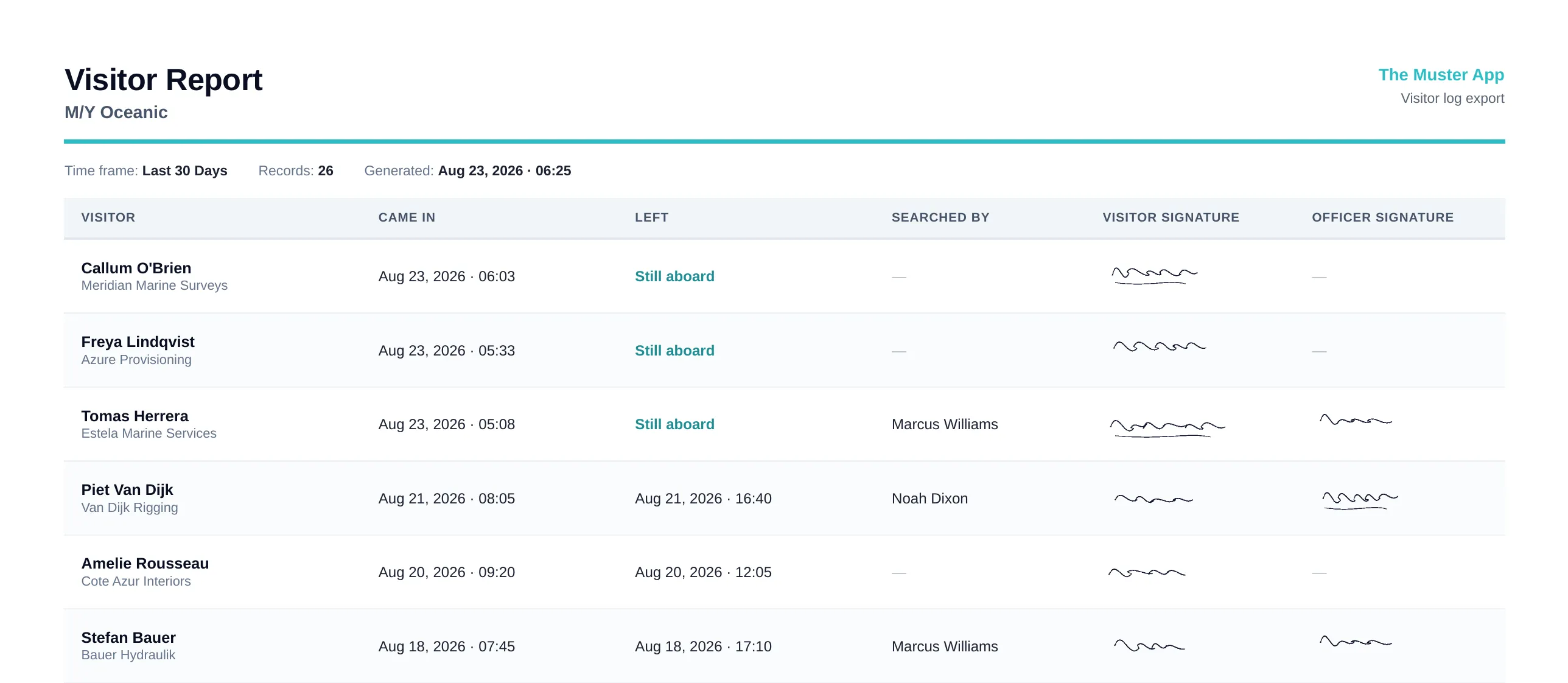
Press Export PDF and the panel's current filter becomes the report. The columns are visitor, came in, left, searched by, and both signatures: the visitor's own from check-in and the search officer's where a search was carried out. A visitor still aboard shows as still aboard rather than a departure time. The header carries the vessel name, the time frame and when the report was generated. With Searched only on, the report is titled Visitor Search Report and holds just the search record.
Quick audit reporting
The questions an inspector asks map straight onto the two controls:
- "Who is aboard right now?" That is the top of the page, live, with a face against every name.
- "Who was aboard between these dates?" Set a custom range and export. One visit per row, arrivals and departures included.
- "Was this person searched, and by whom?" The entry names the crew member and carries their signature. Searched only produces the search record on its own.
- "Did they sign your terms?" The visitor's signature is on every entry, and the signed agreement itself is kept with the visit as evidence.
Records are kept as long as you decide, so how far back the log can answer is a setting rather than a shelf of filled books. What the ISPS Code expects the record to show, and for how long, is covered in ISPS visitor log requirements. For the habits that keep the log worth exporting, see how to keep a ship visitor log.