Yacht security and the ISPS Code
Your ISPS level runs the door.
You set what Levels 1, 2 and 3 do on your vessel. Switch the level and the iPad changes with it: who gets searched, who gets held, and which crew phones hear about it.
Free for 14 days. From £110 a month. On board vessels 40m to 90m.

Julian Meyer is awaiting clearance at Gangway iPad.
Hi Marcus 👋 A visitor Security Search has been triggered on Gangway iPad during visitor check-in!
Running on superyachts every day.
Raising the level is easy. Making it happen is the hard part.
Every vessel has a security plan. The question a week later is whether the third visitor that morning was actually searched, and who says so.

A notice taped to the bulkhead
The level goes up in an email and a laminated card goes on the wall. Whether anyone did a search, who did it, and what they found lives in one person’s memory until they go on leave.

The Muster App
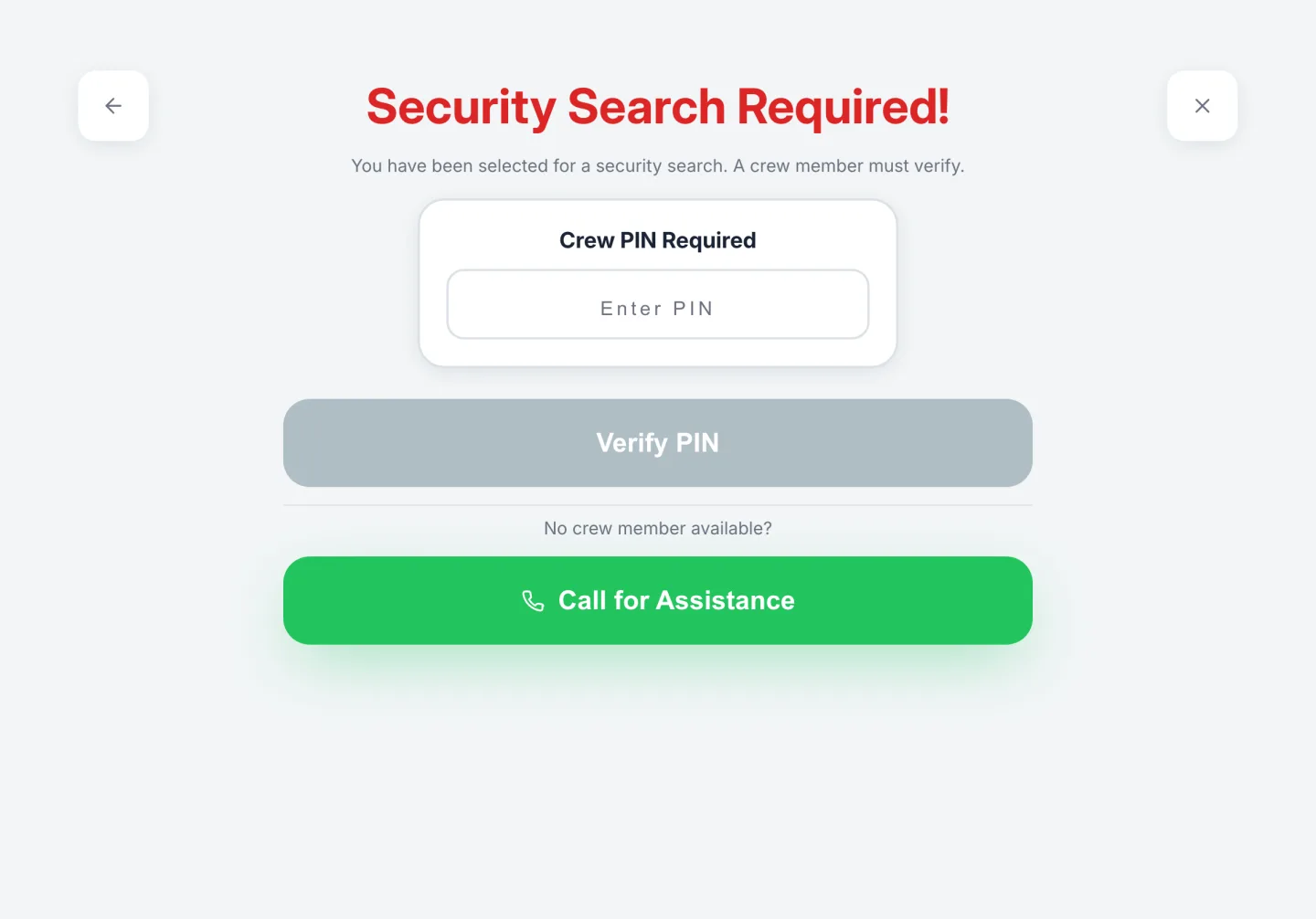
Switch to Level 2 and the iPad starts holding visitors for a search that minute. Nobody gets past it without a crew member’s PIN, and the PIN puts their name on the record.
You decide what each level does
Search frequency, ID checks, the restricted step and the notice, set per level for your vessel. The frequencies below are a typical setup, not a rule. Change the active level and every crew phone hears it straight away.
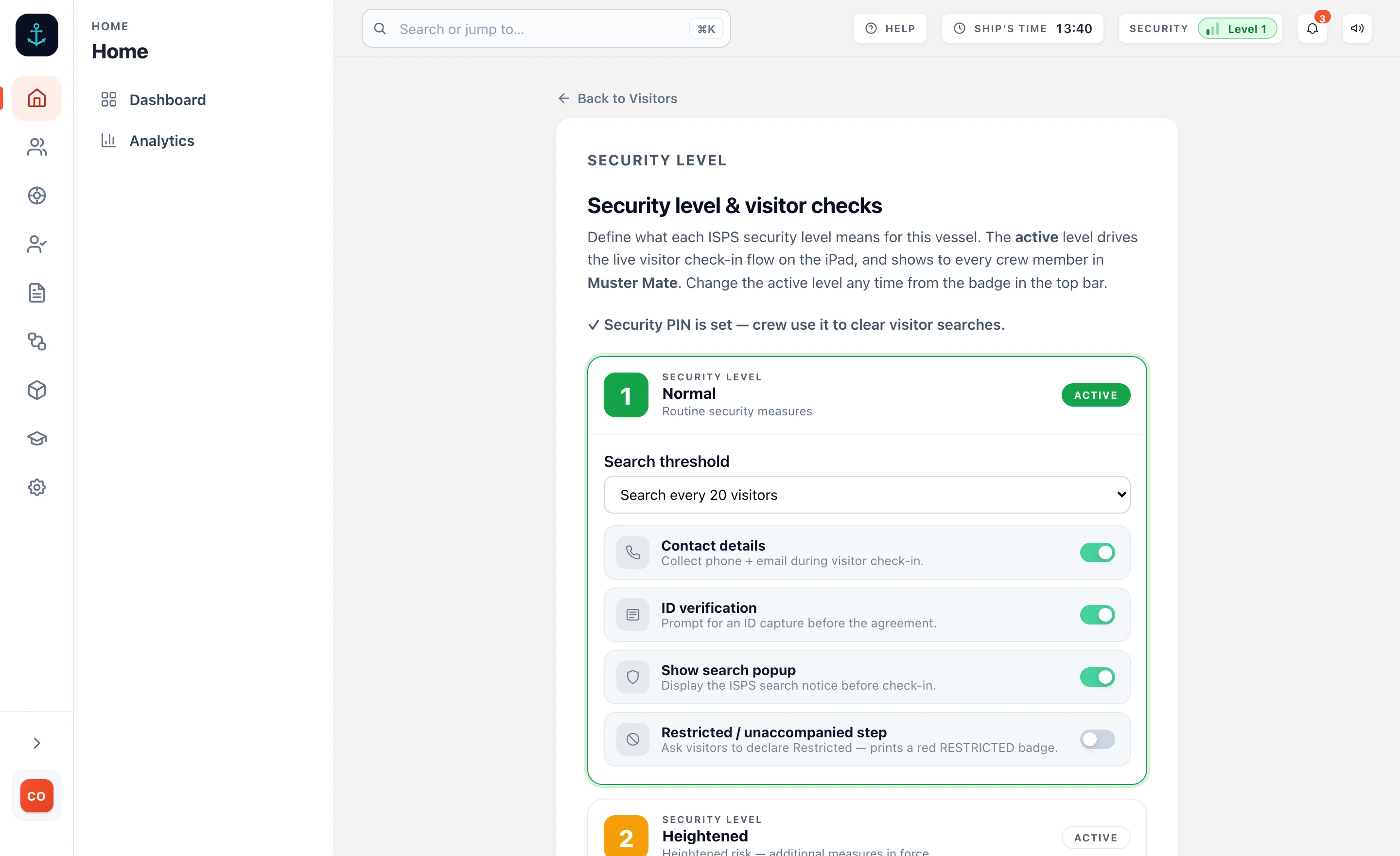 What each level does here
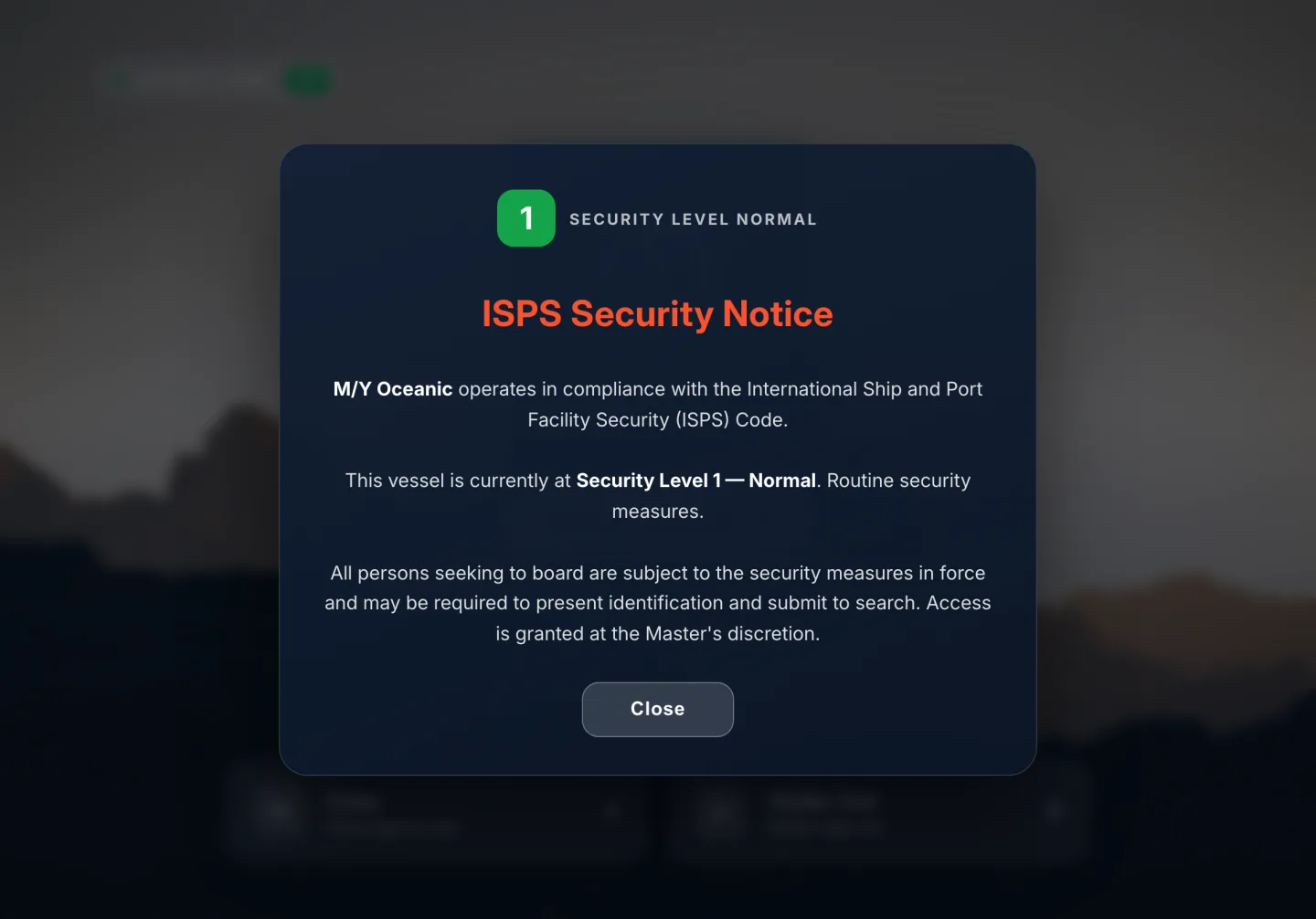 The notice, before any fields
Held until a PIN clears it
The notice, before any fields
Held until a PIN clears it
On every plan, from £110 a month per vessel, unlimited crew and unlimited visitors.
Nobody boards until they are cleared
The check-in in the order a visitor meets it, after the notice, and done by the visitor on the iPad while a crew member gets on with something else.
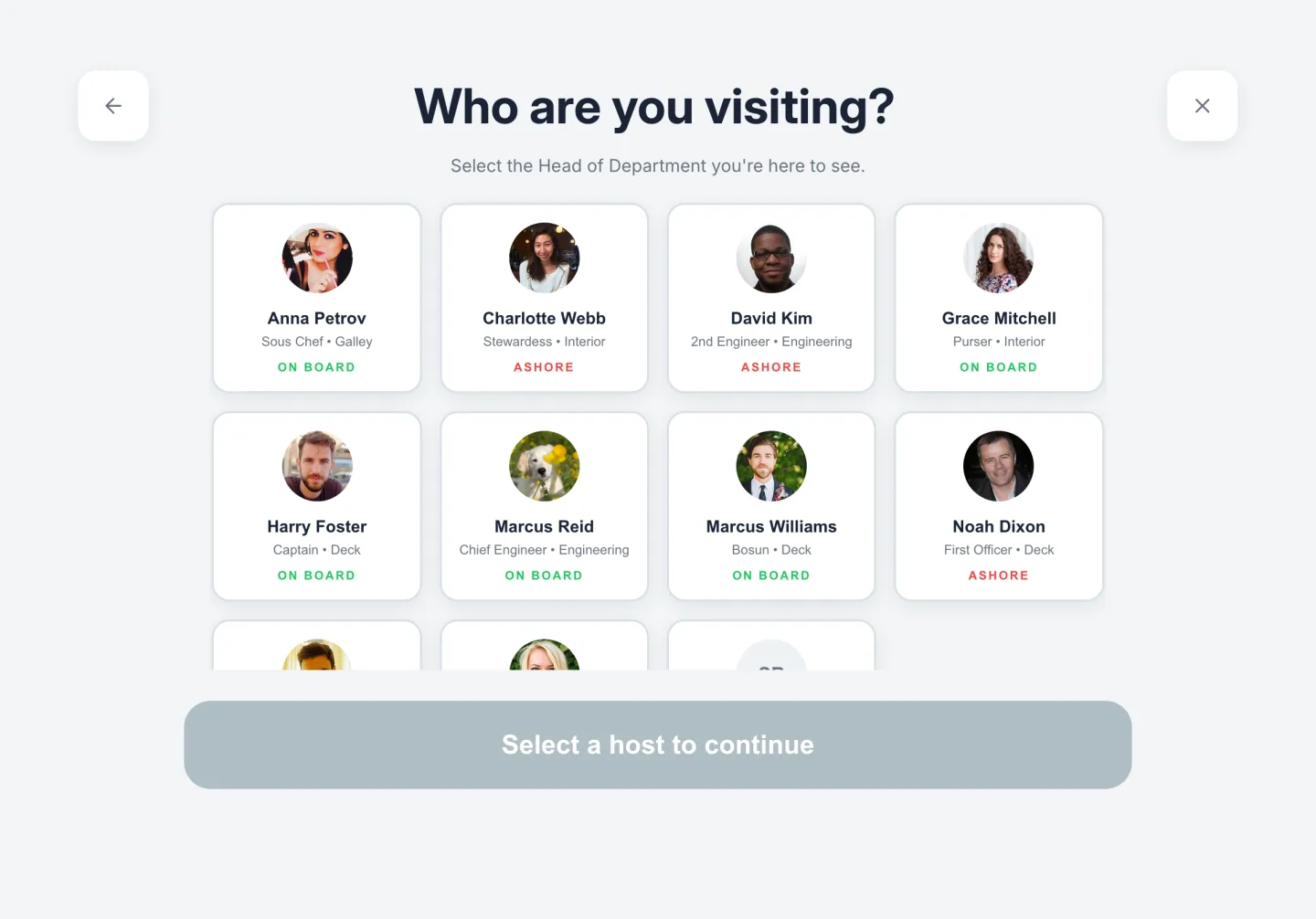 Who are you visiting?
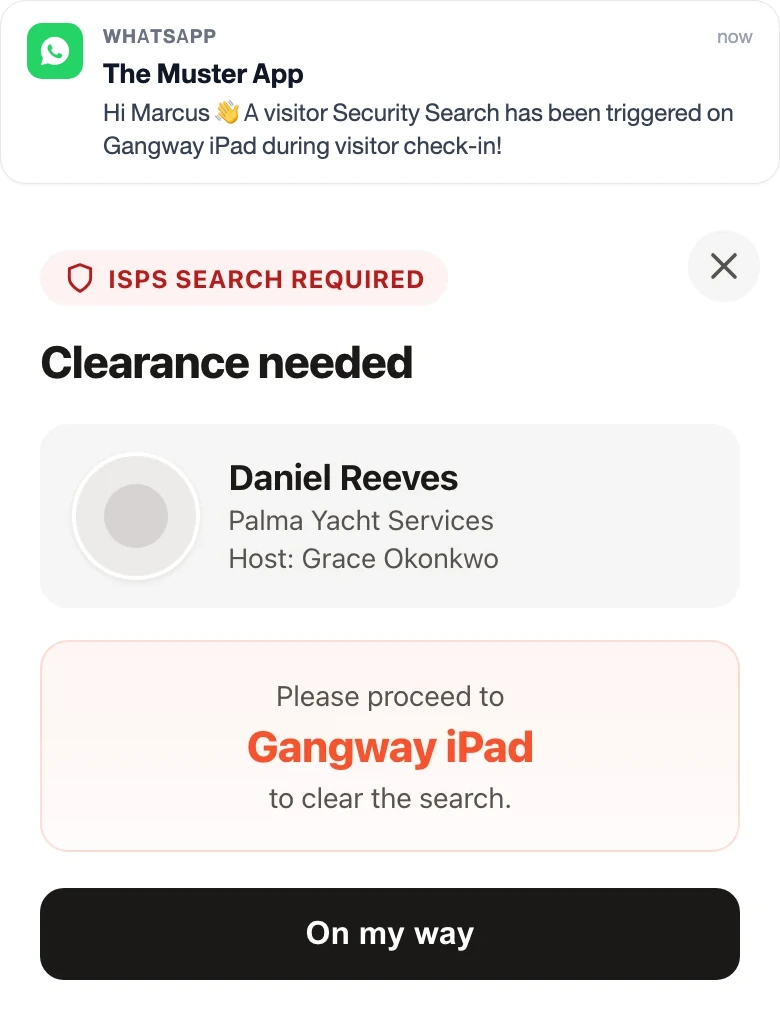 What the crew’s phone gets
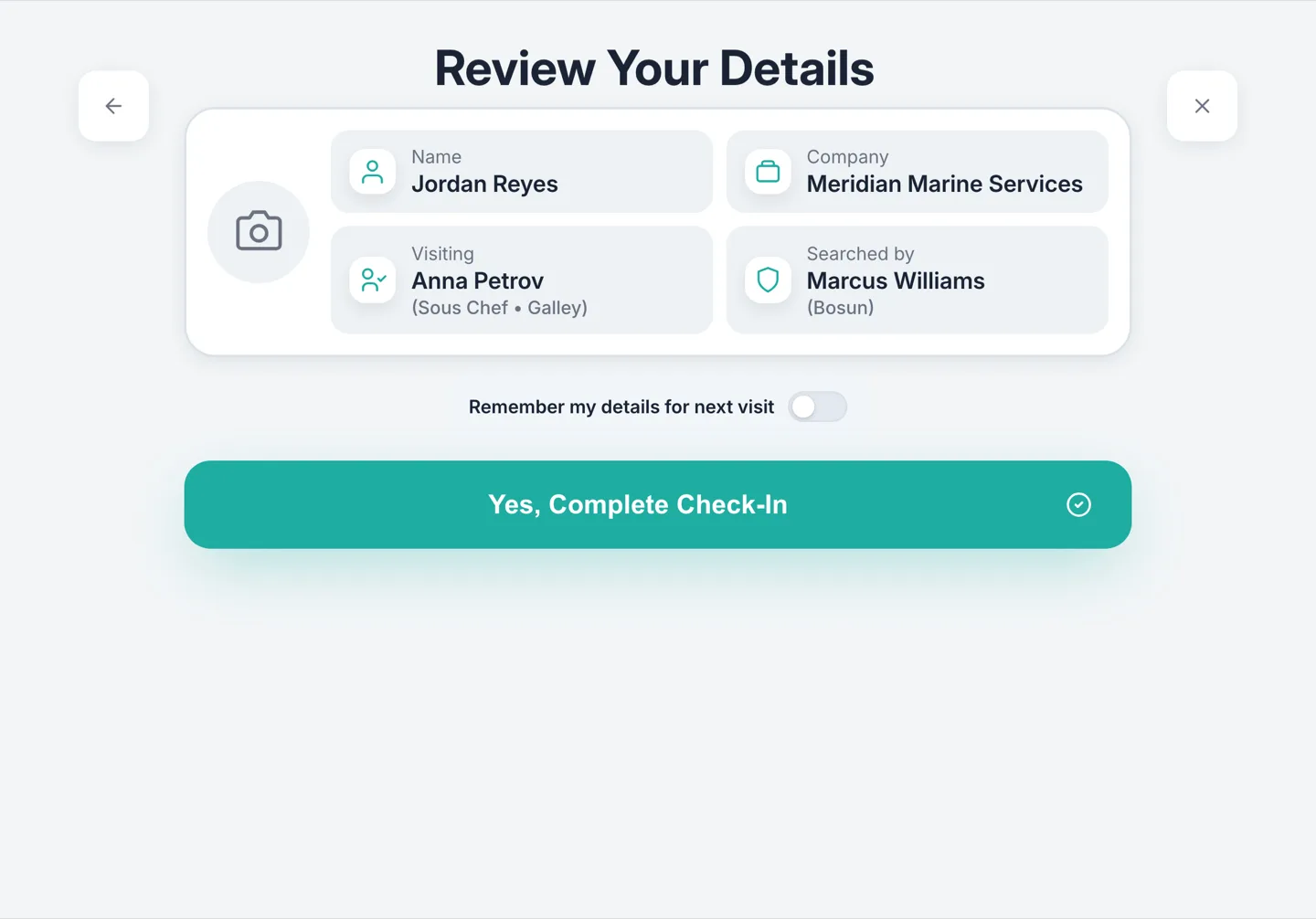 Searched by, with a name
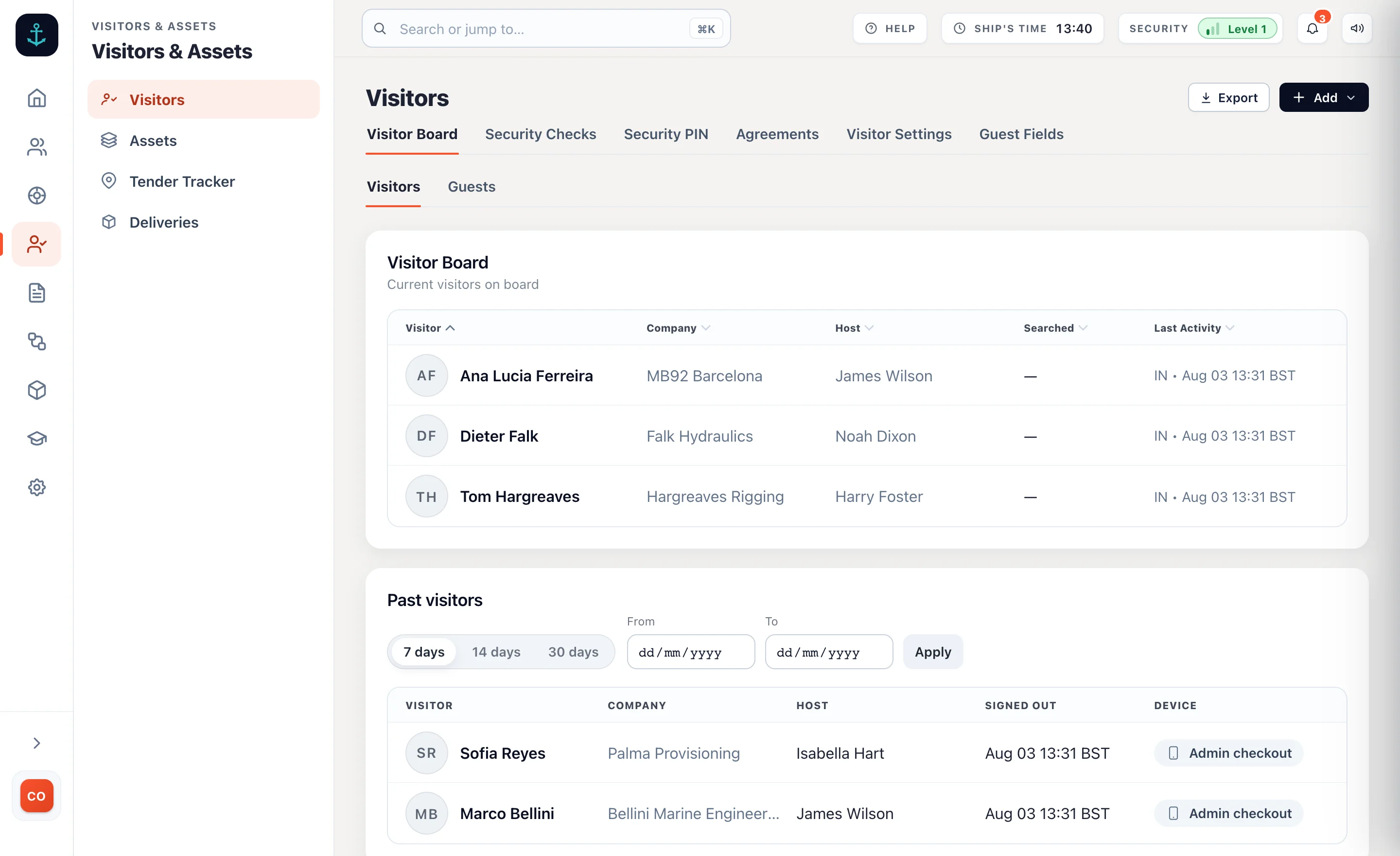 Aboard now, and who has left
Someone you don’t want back
A visitor gets flagged once, with the reason. The person who has to act on it a year later is a different watchkeeper who has never heard the story.
- The flag finds them again. If they check in months later under a new record, every admin on the vessel gets an email at that moment. The flag survives a data wipe.
- Restricted visitors are visible. Anyone who has to stay with their host prints a red badge, so the rest of the crew can see it without being told.
- The office hears what matters. Admins who opt in get an email when a search is triggered or completed, an agreement is signed, a flagged visitor appears, or someone is still aboard at day’s end.
- The owner’s party are not processed. Guests carry a name, a cabin, a date of birth and a document, and they are counted on the muster roster like anyone else aboard. No agreement, no photo, no queue.
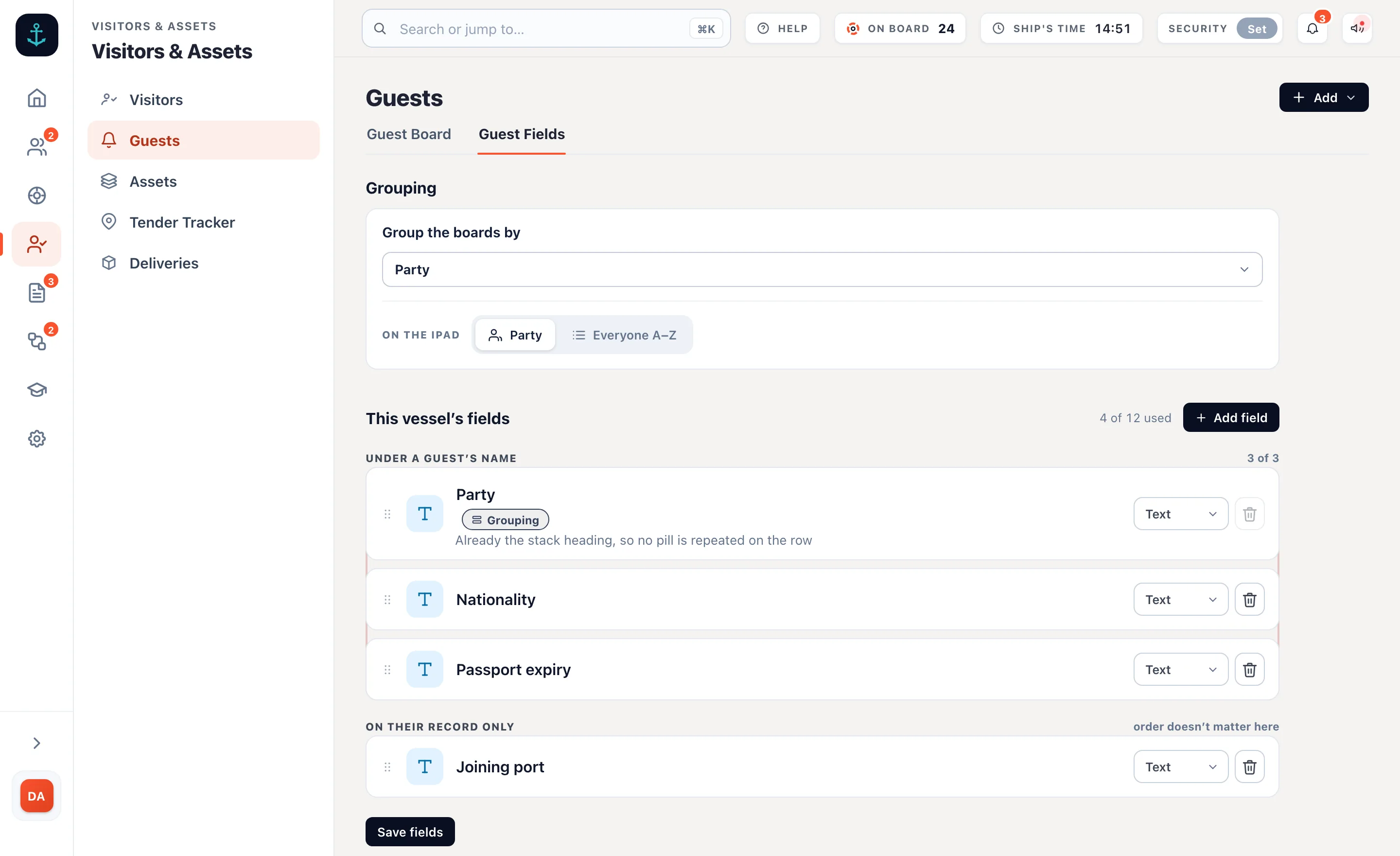 The fields your flag asks for
The vessel owns its data
You are holding passports and photographs of people who are not your crew. Where that sits, who can reach it and how it gets deleted are fair questions to put to us.
- The vessel is the data controller. Muster App Ltd is the processor, under UK and EU GDPR, and there is a DPA to sign.
- Stored in London. Crew and visitor data sits in AWS’s London region. TLS 1.3 in transit, AES-256 at rest, photos and ID images included.
- One vessel cannot see another. Every record is scoped to the yacht that owns it, with access control, audit logging and change management modelled on SOC 2.
- You set how long it is kept. And if a visitor asks to be forgotten, their record, photo and agreement are wiped from the admin.
 Yours, not ours
The Muster App has become one of those tools we use without really thinking about it. It’s made everyday tasks easier and has also got the crew more engaged with safety and their responsibilities onboard.
Yacht security, answered.
What are the three ISPS security levels?
Level 1 is normal, with routine protective measures maintained at all times. Level 2 is heightened, with additional measures in force for a period of raised risk. Level 3 is exceptional, for a probable or imminent security incident. In The Muster App you decide what each one means for your vessel, and switching the active level changes what the iPad asks of visitors immediately. The ISPS Code explained
How does the visitor search work?
A visitor selected for a search cannot get past the iPad. The screen holds them, the right crew member gets a push and a WhatsApp with the visitor’s name and the iPad to go to, and a 4-digit crew PIN clears the hold. The crew member who entered the PIN is recorded as the search officer on that visit.
Who is picked for a search?
Whoever your threshold says. You set a frequency for each level, so Level 1 might hold one visitor in twenty and Level 2 one in five, with Level 3 holding everyone. Any visitor can also be searched on the spot by the crew.
What does the security record show?
Per visit: who boarded, the company, who they were visiting, when they arrived and left, whether a search was carried out and which crew member cleared it, the ID document checked and the signed agreement. It is searchable and it exports as a PDF for port state control. What the ISPS Code asks of the log
Can I stop a particular person coming back?
Flag them once, with the reason. If they check in again, even months later under a new record, every admin on the vessel gets an email at that moment. The flag survives deleting the visitor’s data.
Where is the data held?
In AWS’s London region, encrypted in transit and at rest. The vessel is the data controller and Muster App Ltd is the processor, under UK and EU GDPR. You set retention and you can erase any visitor. The privacy policy
What does it cost?
The ISPS levels, the search and the visitor log are on every plan, from £110 a month per vessel with unlimited crew and unlimited visitors, and a 14-day free trial. See pricing
Try it on your boat.
Free for 14 days. From £110 a month. An iPad at the door and the level you set is the level that runs.
Unlimited crew and visitors. Refund policy