Hours of Rest
Keeping every crew rested and compliant.
The easiest way to log Hours of Rest, sign them off and stay compliant.
Free for 14 days. Included in Plus, £175 a month per vessel.
Running on superyachts every day.
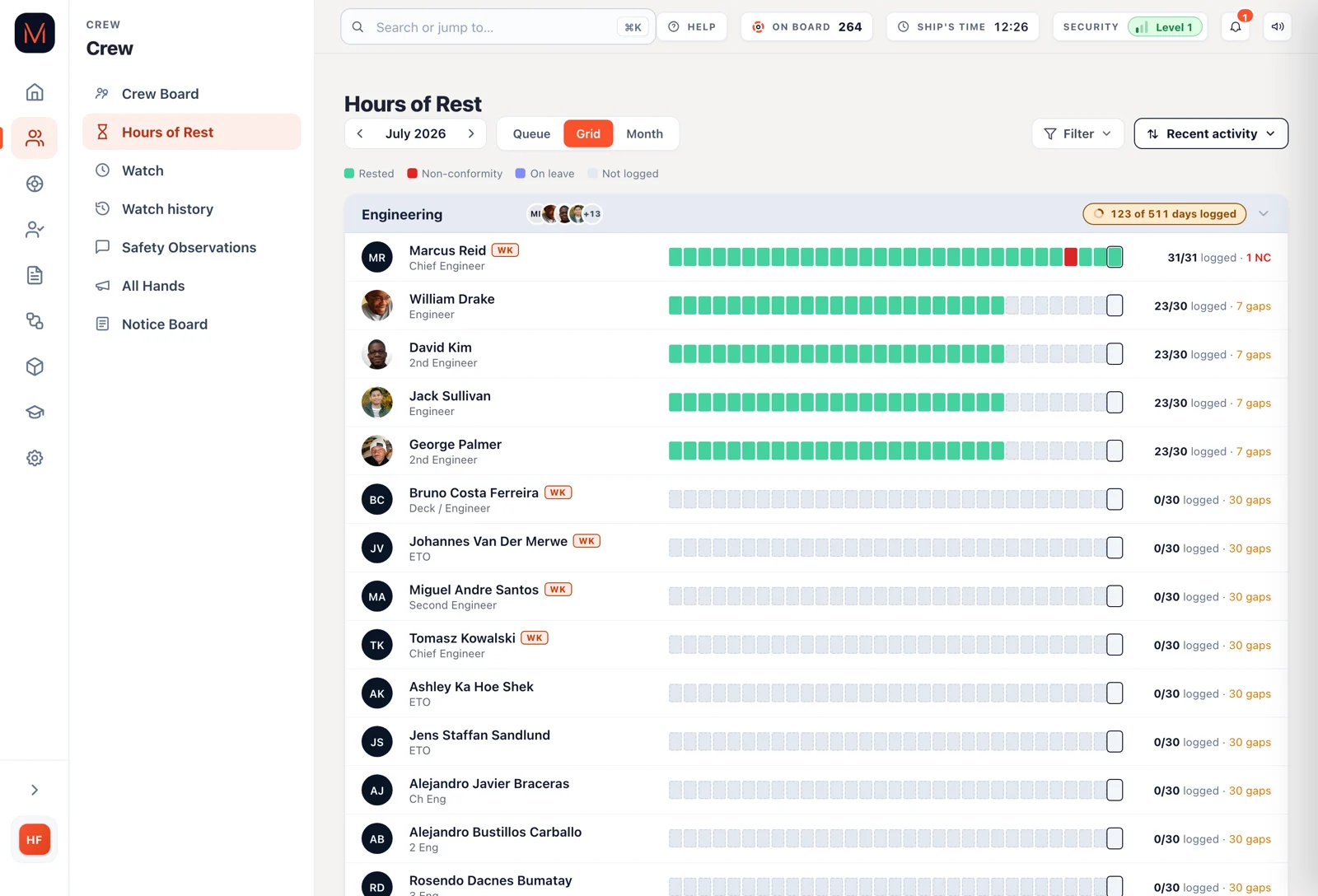
Stop filling in a spreadsheet at month end.

The spreadsheet
Filled in at the end of the month. Half of it from memory.

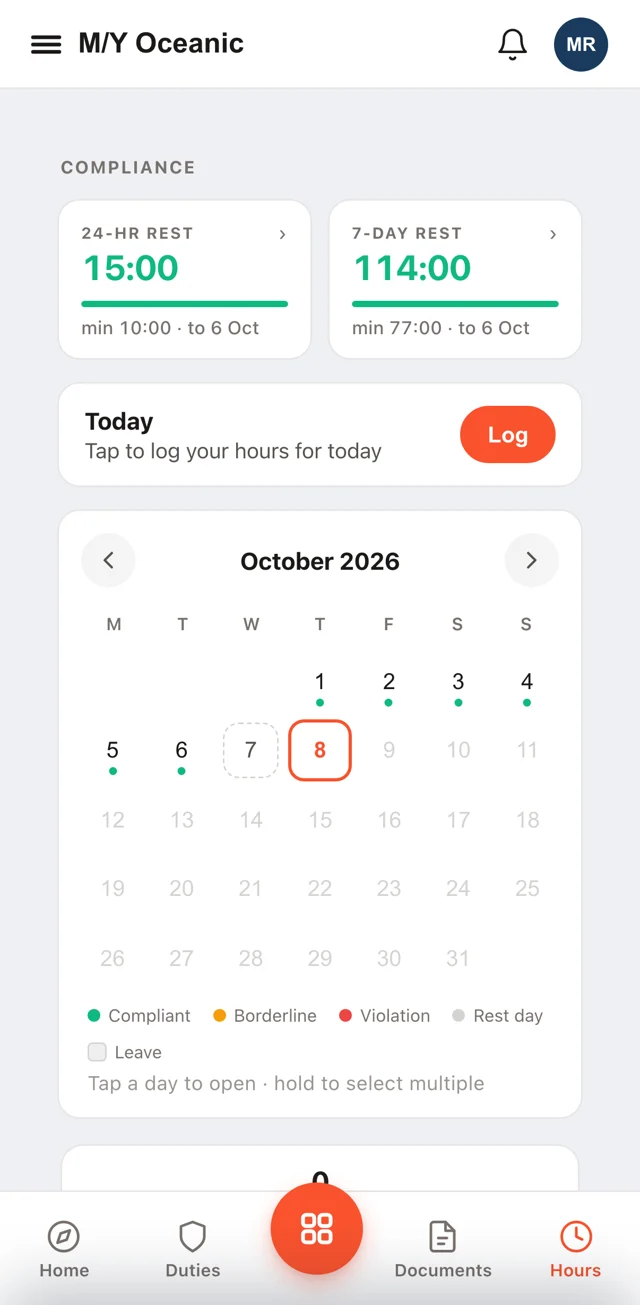
The Muster App
Logged on the phone that evening. It takes seconds.
Run the whole month from the crew’s phones.
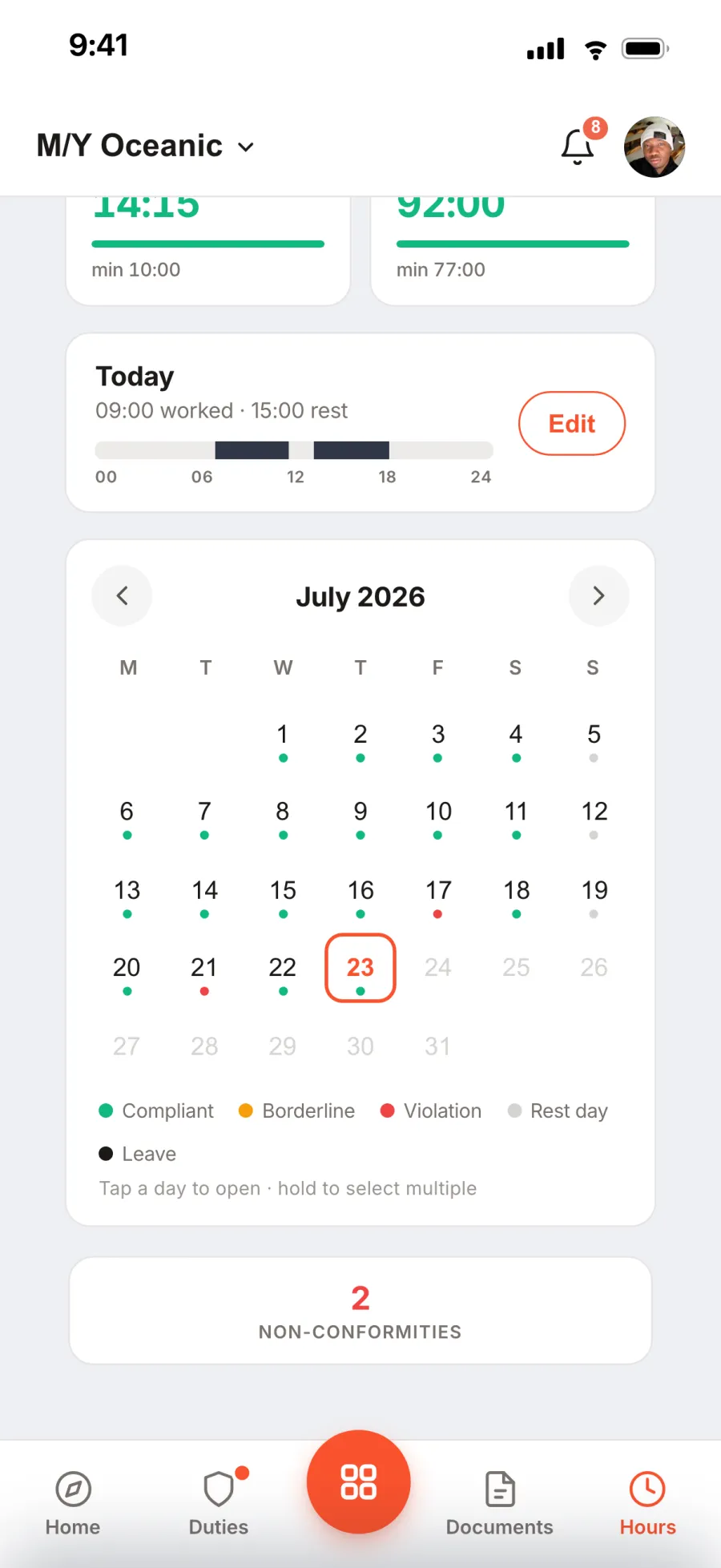
Log Hours of Rest in seconds.
Crew enter their day on their own phone, even offline at sea.
- Several days at once
- On their own phone
- Works offline
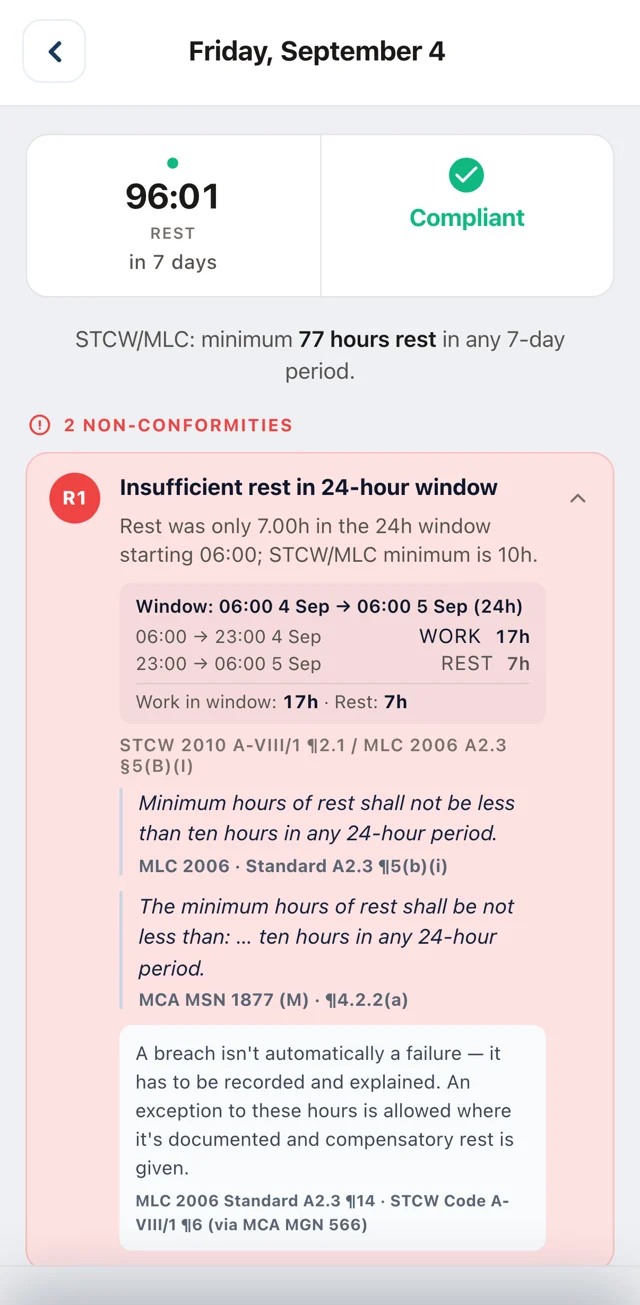
Know straight away when someone’s short of rest.
Every day is checked against MLC and STCW, and the app explains any miss.
- Instant red-day alerts
- Rules explained in the app
- Reason before saving
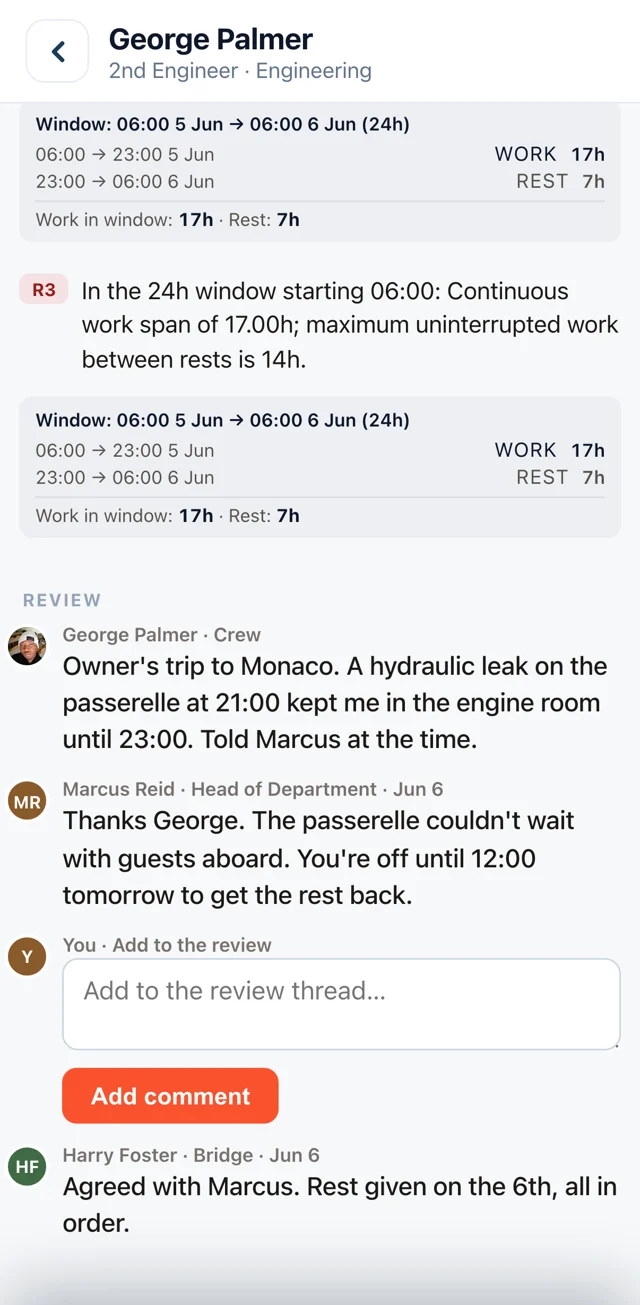
Talk through every red day together.
The crew member sees the whole conversation on their red day, every reply in full. In other apps, only the admin sees it all.
Want a second pair of eyes? The Captain can pick who reviews a Head of Department’s red days.
- Crew see every reply
- Department told first
- Appointed reviewer
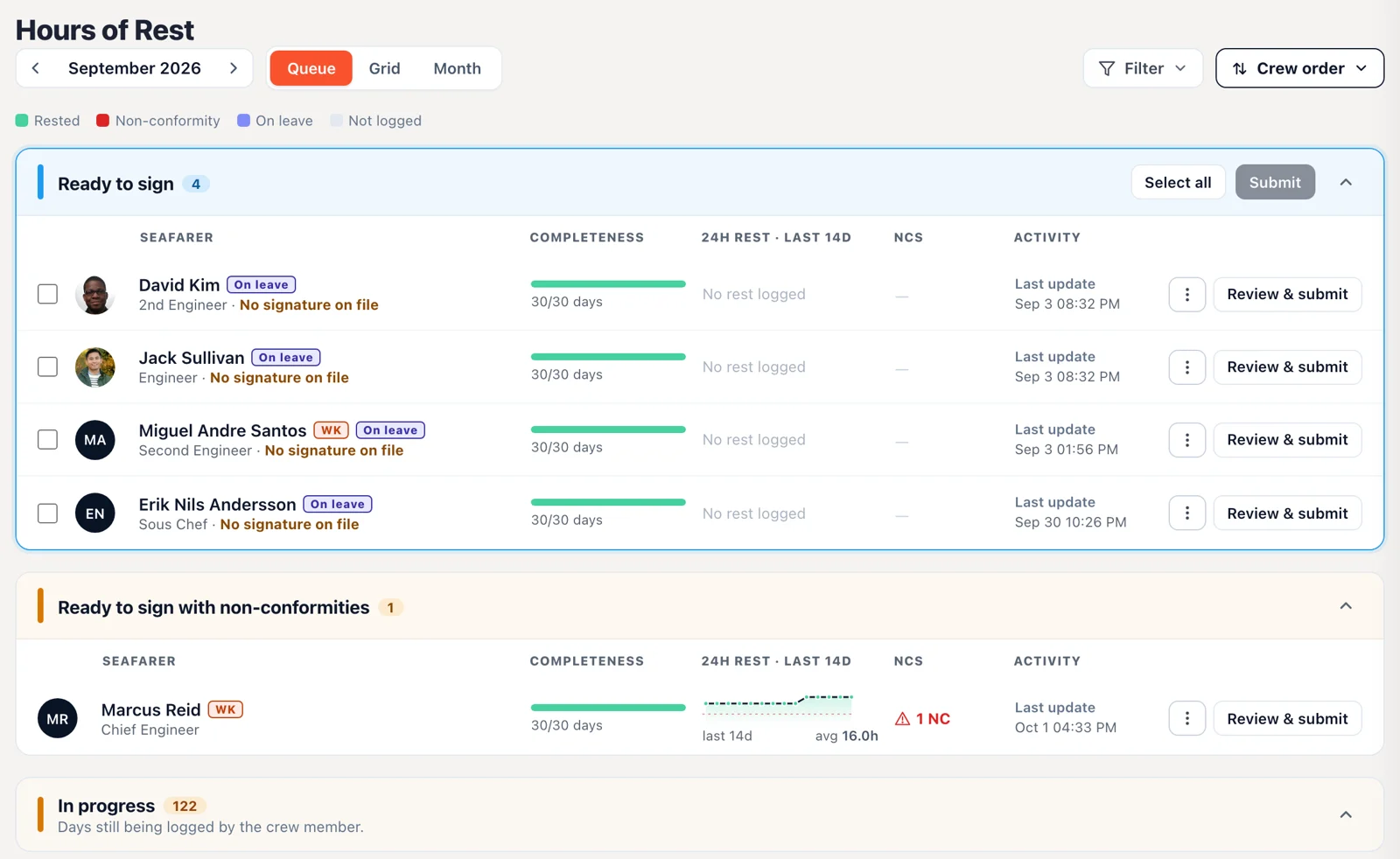
Sign off the whole crew in one place.
The Captain signs each month and the crew member gets the record by email and in the app.
Each signed month uses the official IMO/ILO table that flag states and port state control recognise.
- Official IMO/ILO format
- Full comment sheet
- Download them all as a ZIP
- Join and leave dates
Stop chasing crew who are on leave.
Leave dates are already on the crew list, so the app knows who’s away.
Other appsCrew mark themselves on leave day by day.
The Muster AppLeave comes from the crew list. Nobody marks a thing.
- No reminders on leave
- Leave counts as rest
- Straight from the crew list
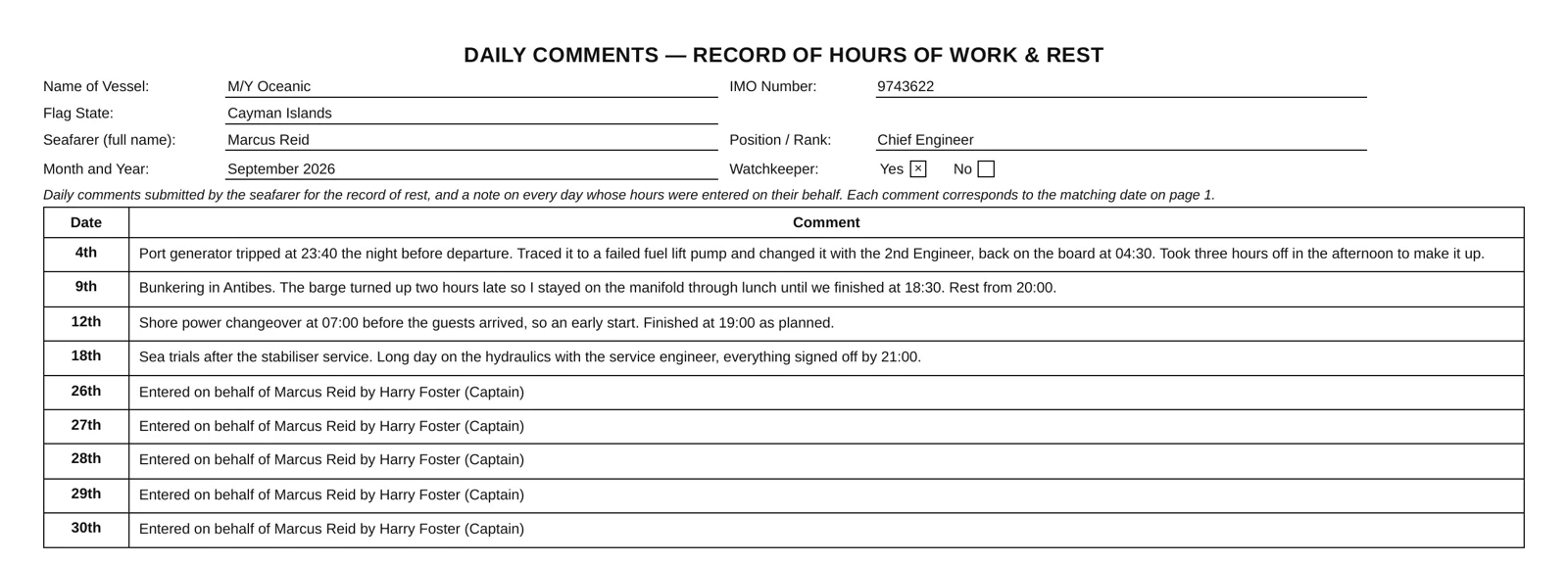
Tired of comments being cut off?
No problem. Our comment sheet shows each comment in full, for both the seafarer and inspection.
- Every comment in full
- Printed with the record
- Sent to the seafarer
Keep Hours of Rest with your musters.
It’s in the same app your crew already use every day.
- Musters and drills
- Checklists
- Visitors
- Hours of Rest
Know who is behind before the month closes.
Heads of Department see who is behind. Crew are reminded of missed days, except those on leave.

The Muster App has become one of those tools we use without really thinking about it. It’s made everyday tasks easier and has also got the crew more engaged with safety and their responsibilities onboard.
Questions about Hours of Rest.
What are the minimum Hours of Rest under MLC?
At least 10 hours of rest in any 24 hours, and 77 hours in any 7 days. The app checks every day against both. MLC Hours of Rest explained
Can crew log their hours without signal?
Yes. Muster Mate works offline at sea and catches up when the phone is back in signal.
What happens when someone is short of rest?
The crew member sees it straight away and adds a short reason. Their Head of Department is told first.
How does the Captain sign off the month?
From one place, for the whole crew. Each signed month is kept as a PDF, sent to the crew member by email and in the app, and can’t be quietly changed.
Can I download every signed record?
Yes. Pick a crew member, select their signed months and download them all in one ZIP file.
Is the signed record in the official format?
Yes. Each signed month uses the IMO/ILO format for the Record of Hours of Work and Rest. It’s the table flag states and port state control recognise.
Do crew have to mark themselves on leave?
No. Leave dates come from the crew list, so leave days count as rest and crew on leave get no reminders.
Who reviews a Head of Department’s own red day?
It’s up to the Captain, who can choose an Appointed reviewer if they want one. For example, the Chief Officer reviews the Captain’s red days, or one Head of Department reviews another’s.
Can crew see the replies on their red days?
Yes, the whole conversation is in the app. It shows their note, their Head of Department’s reply and the Captain’s or Appointed reviewer’s replies.
How much does Hours of Rest cost?
It’s included in Plus at £175 a month per vessel, with unlimited crew. Try it free for 14 days. See pricing
Try it on your boat today.
Free for 14 days. Included in Plus, £175 a month.