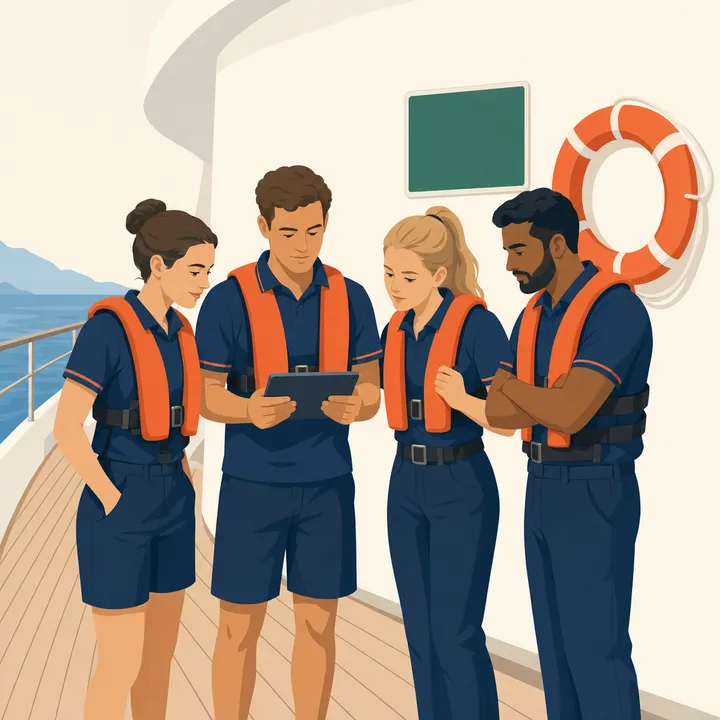
Safety at sea.
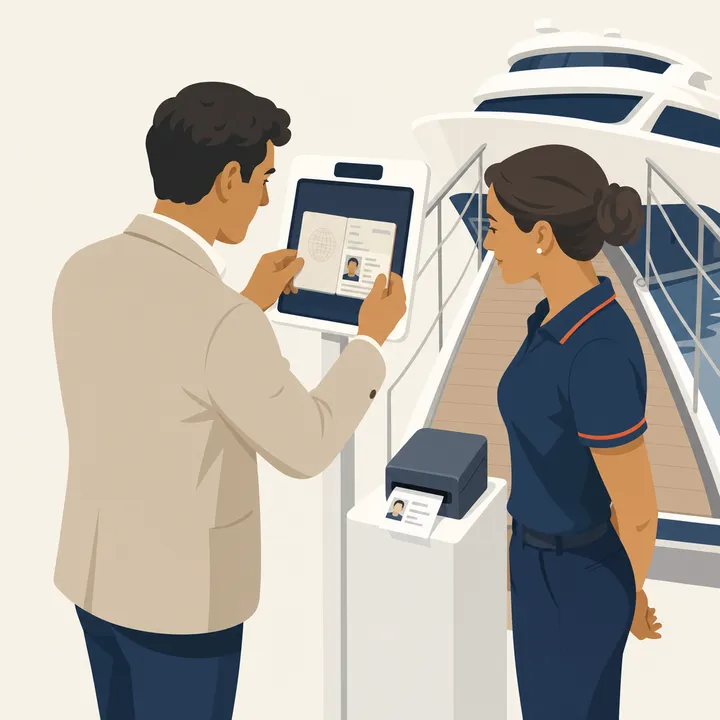
Security at the gangway.

One system for muster drills, the gangway, rest hours and the daily checks — built for yachts and superyachts, not adapted from an office.

14-day free trial. Refund policy

The admin dashboard: the day’s crew safety focus from the COSWP, training progress, and the items waiting on the captain to review.
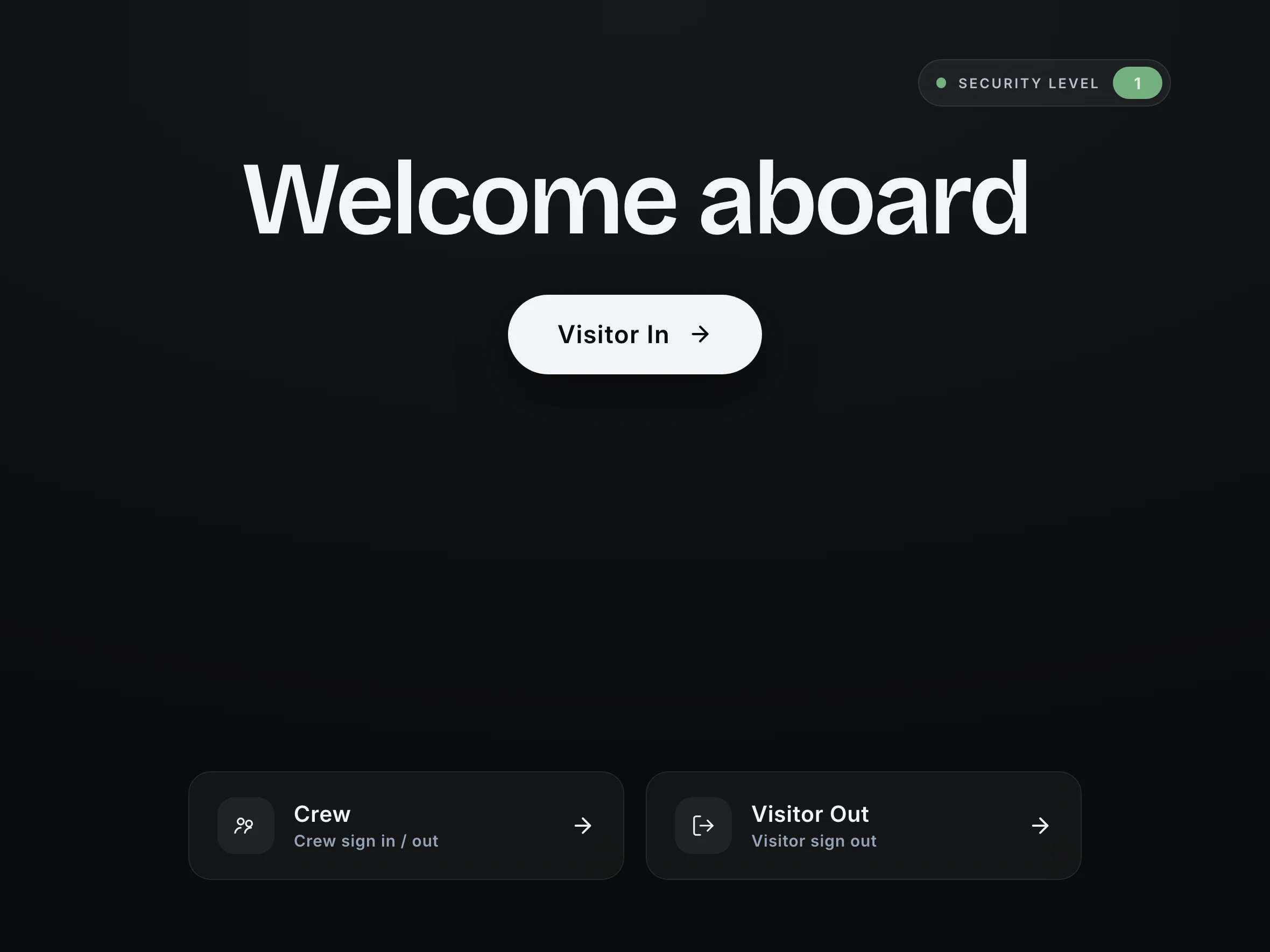
The iPad welcome screen at the gangway: the vessel name, the current ISPS security level, and the buttons a visitor or crew member uses to sign in and out.
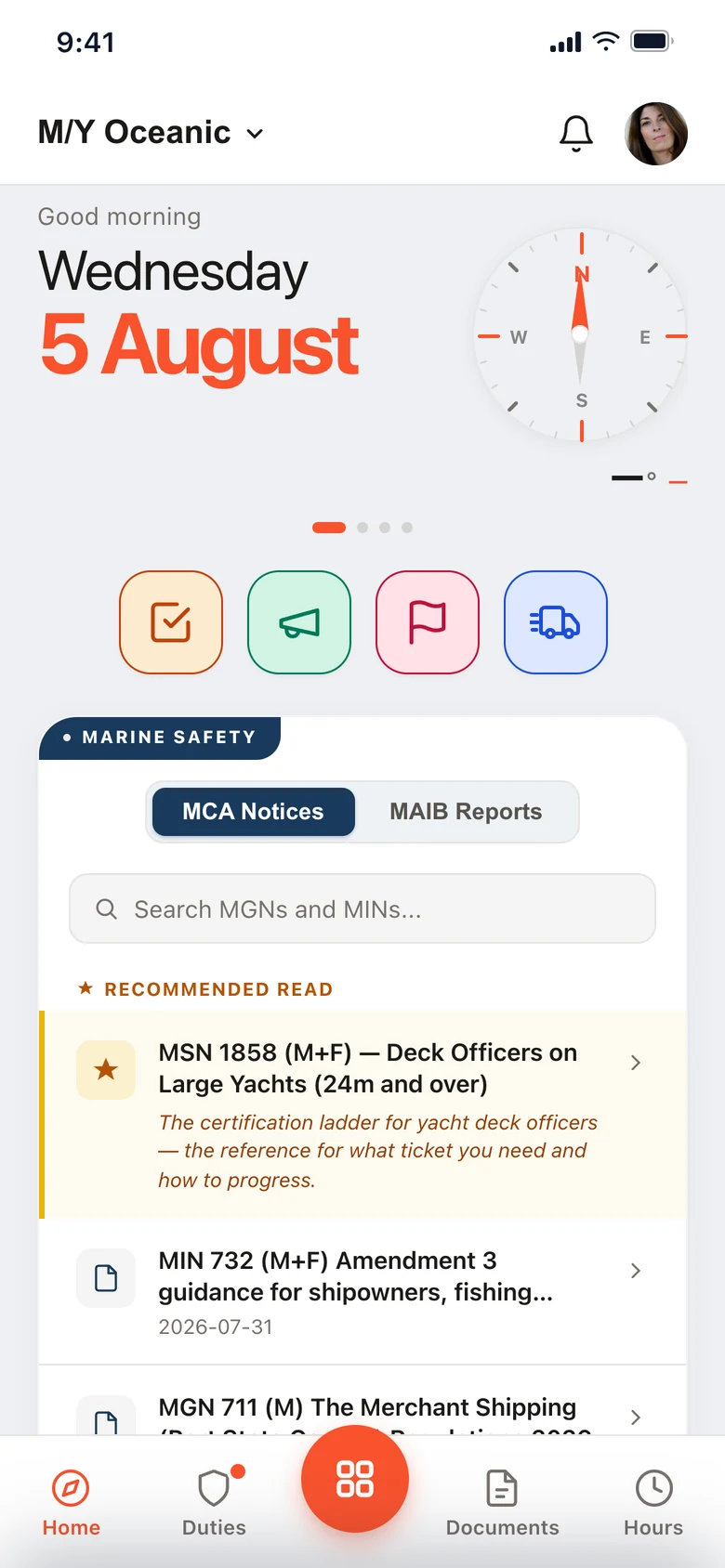
The Muster Mate home screen on a crew phone: the vessel, the day, and the marine safety notices the crew member can read.

Muster drills, run from the crew board.

The muster list and drills · What SOLAS and the ISM Code ask for

The muster list in the admin: every crew member with their station, role and equipment for the selected emergency type.
Admin · the muster list, per emergency type
A crew member’s own muster duties in Muster Mate: their station, what they are responsible for, and the alarm signal for that emergency.
Muster Mate · one crew member’s own duties
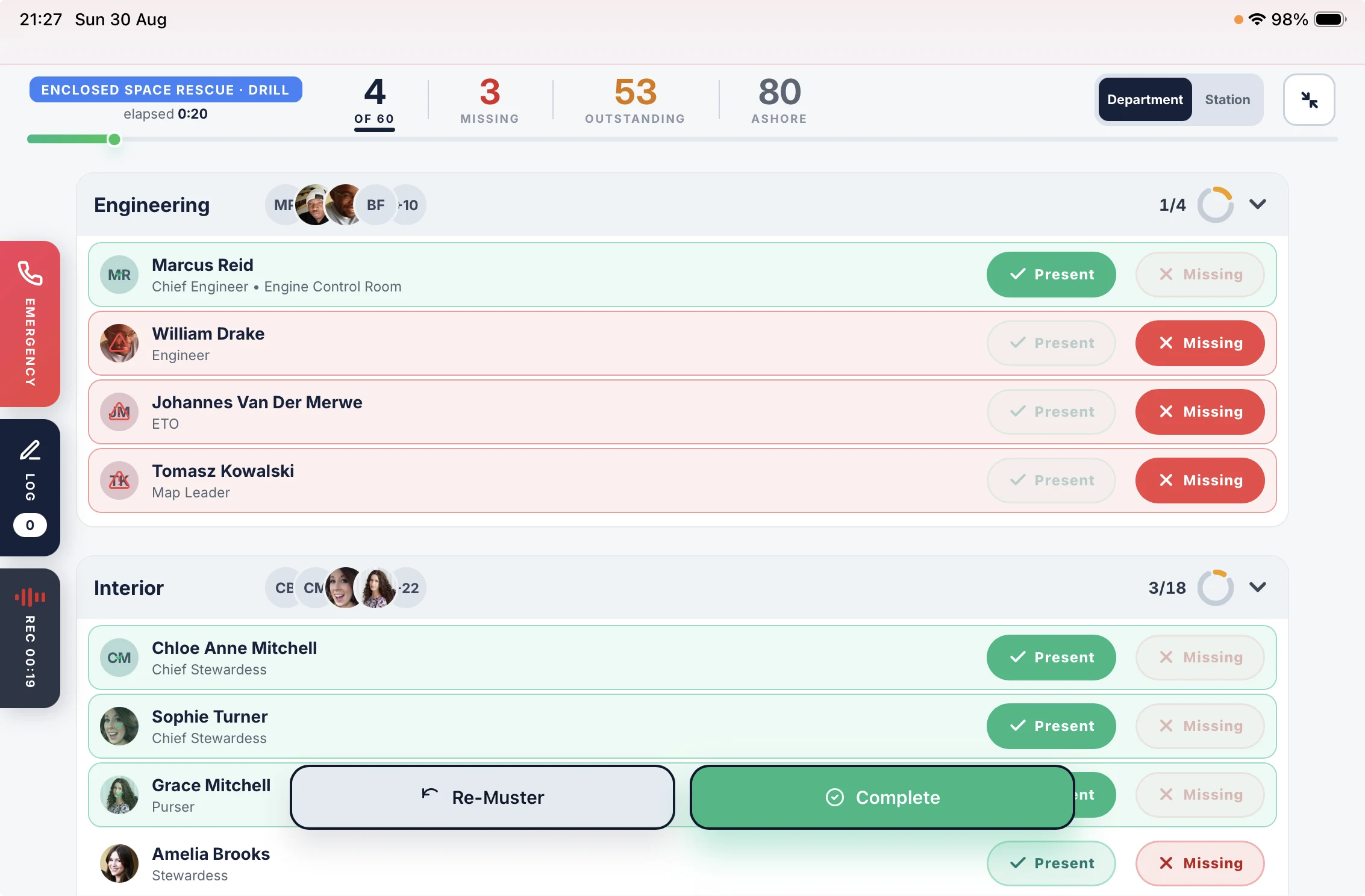
A fire drill running on the iPad: twenty-three of thirty-one accounted for, the crew banded by department with a headcount ring on each, and every person marked present or missing as they arrive.
iPad · roll call, as the drill runs
The Emergency panel open over a running muster on the iPad, holding three quick-dial cards with the vessel’s own numbers: Fire, DPA and Medical.
iPad · Fire, DPA and Medical, one press
The Session Log panel open over a running muster: quick-action buttons, a box for a typed note, and a timeline showing the call placed to the fire service, its duration, and the notes logged since the alarm.
iPad · quick actions, notes and the timeline
A finished fire drill open in the admin, with tabs for the muster roll, the session log, the recording and the details, over a drill history running back through the year. An Export CSV button sits at the foot.
Admin · the drill history, kept and exportable
Drill analytics in the admin over twelve months: twenty-four drills, an average time to muster of 2.9 minutes, and a line per drill type falling from about six minutes last September to under three this August.
Admin · twelve months of drills, by type

Station, role and equipment per crew member, per emergency type. Change it in the admin and the next drill uses it.

Each crew member sees their own station and duties in Muster Mate, with the alarm signal for each emergency. Muster Mate is on iOS and Android, on every plan, for every crew member.

The drill is called from who is aboard right now, so the roll call starts from the real crew board rather than a list somebody remembered to update. Guests aboard are counted on the roster too.

Crew are marked present or missing by department, with a running count and the time since the alarm.

Three numbers sit behind the Emergency tab on a running muster: your fire service, your Designated Person Ashore and your medical contact. One press dials, over the vessel’s internet, without leaving the drill.

Every call is logged as it happens, and the audio is captured in the session recording.

Log an event without leaving the muster, either a quick action or a typed note. The quick actions are your own — set up the six the vessel actually uses.

Calls, actions and notes land on one timestamped timeline, so the drill has a record rather than a memory.

Audio recording runs through the session by default, and the vessel can turn it off. Play a drill back at the debrief and the crew hears what was actually said — which is worth more in training than what everyone remembers.

View and export the drill history whenever you want: who ran it, who was accounted for, how long it took, the events logged and the recording.

Every drill is timed, so the numbers build without anyone keeping a spreadsheet: how long the muster ran, how long until the last person was accounted for, and how many turned out. Twelve months of it, charted by drill type.

The ISM Code asks for drills to be recorded and reviewed, not just run. This is the part that shows whether the vessel got faster. What SOLAS and the ISM Code ask for

Core

Visitor and guest management, without the corporate software.

The visitor log, kept for you · Built for the gangway, not the front desk · What the ISPS Code asks for

The iPad welcome screen at the gangway: the vessel name over a photograph, the current ISPS security level, and buttons for visitor in, visitor out and crew.
iPad · the welcome screen, as the vessel set it up
The iPad review screen before check-in completes, showing the visitor name and company, the head of department they are visiting, and who searched them.
iPad · the last screen before a visitor is aboard
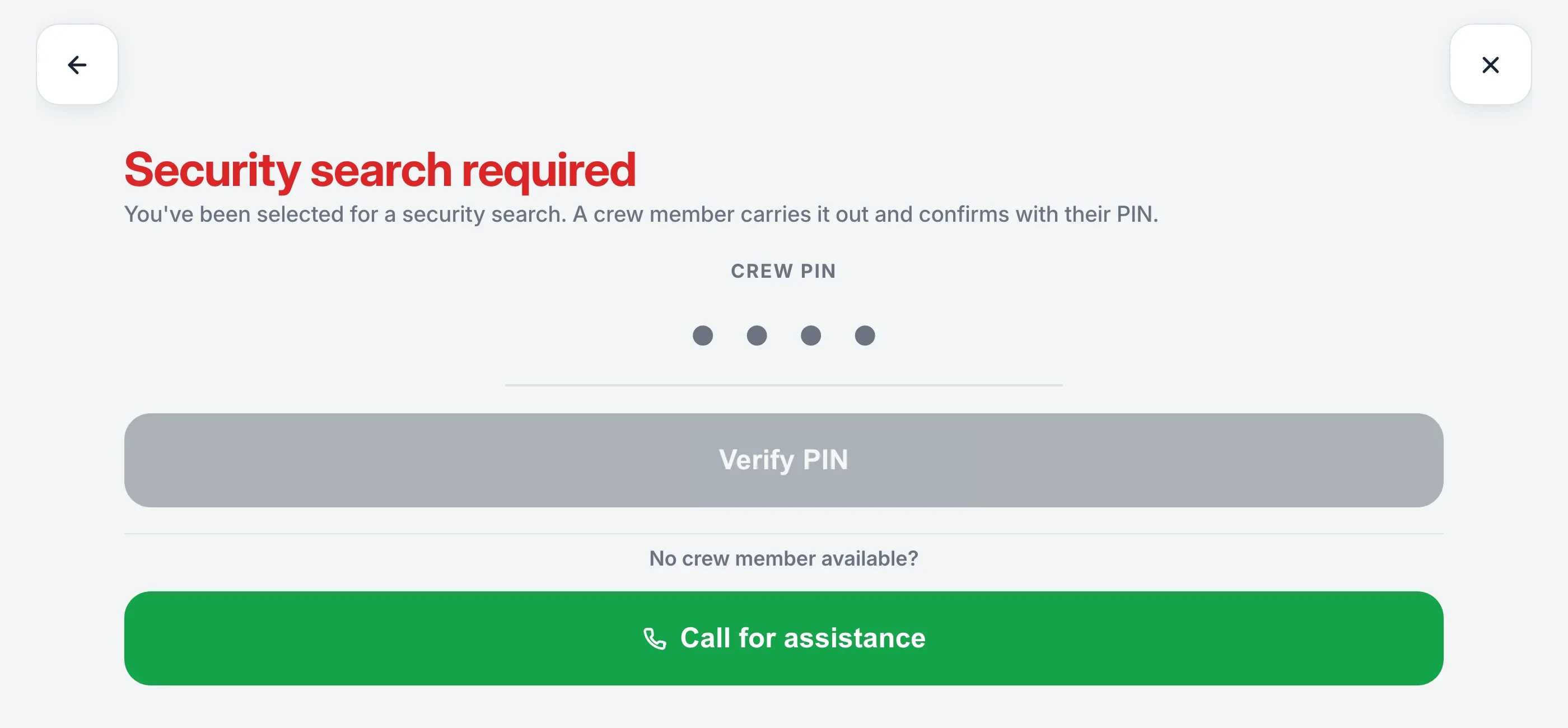
The iPad check-in screen showing Security Search Required, with a crew PIN field and a call for assistance button.The alert on the crew member’s phone at the same moment: ISPS Search Required, clearance needed for Daniel Reeves of Palma Yacht Services, host Grace Okonkwo, and the iPad to go to.
iPad · the hold, and the alert it sends to a crew phone
The guest board on the iPad, grouped by party: the Marchetti party with four of five aboard, the Owner’s party with five of six, and a photo crew ashore — each row carrying a button to board the rest of the party or send them all ashore.
iPad · board the party, or send them ashore
A guest record open in the admin, headed “Counted on the muster roster. No sign-in, no agreement, no badge.” It holds a name, a date of birth, a document, a muster station, a cabin, whether they are aboard right now, whether they sleep aboard, and the vessel’s own Party field reading Owner’s party.
Admin · everything a guest record holds
The visitor board in the admin: everyone currently aboard with their company, host and whether they were searched, above the past visitors list with the date each of them signed out.
Admin · where a visitor record lives, and where you delete it

Five designs, your logo or your own wording, your own photographs, and the button labels the vessel actually uses. The current ISPS security level shows in the corner, set from the admin and read-only on the iPad.

Contact details, ID verification and the visitor agreement are switches, set per security level. The visitor signs on the iPad and the signed agreement is filed against their record. A badge prints with their name, company and who they are visiting.

At Level 1, one visitor in twenty is searched. At Level 2, one in five. At Level 3, everyone. Set your own rates in the admin.

A visitor due a search is held at the screen. A crew member is alerted by push or WhatsApp and clears it with a 4-digit PIN.

Guests are grouped by the party they arrived with, and the group shows how many of them are aboard.

Bring the rest of the party aboard with one button, or send everyone ashore together. Each guest keeps their own cabin, document and muster station.

A guest is not a visitor. Nobody hands the owner’s mother an iPad and asks her to sign an agreement.

A guest record holds a name, a cabin, a date of birth and a document. That is enough to account for them when the alarm sounds. Add whatever your flag or port asks for. Or import the whole manifest from a spreadsheet.

The iPad reads a visitor’s ID with OCR. Nobody types out a passport at the gangway.

Records are stored in the UK, encrypted, and erased whenever you decide. Forgetting a visitor includes their photo and their signed agreement.

Core See how security works

The day editor in the crew app: start and finish times, a break inside the work period, and the rest total for the day.
Muster Mate · a day is a couple of time ranges
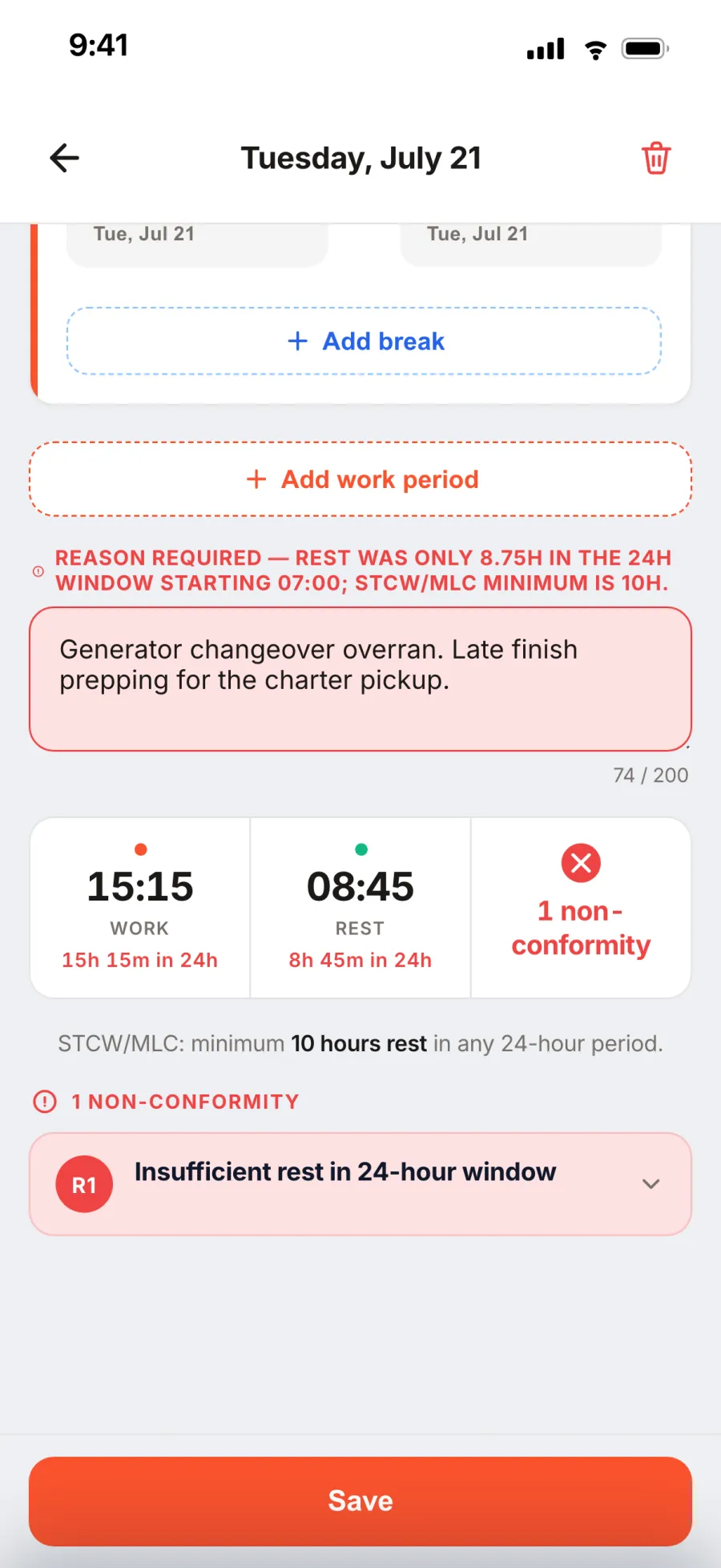
A red day in the crew app naming the rule that was broken, the window it was measured over, and the clause behind it.
Muster Mate · the rule, the window, and the clause
A non-conformity in the admin panel: the crew member’s reason, the Head of Department’s comment, and the bridge’s acknowledgement in one thread.
Admin · the crew member, the HoD, the bridge
The signed monthly record for one seafarer: a row per day with half-hour columns shaded for work and rest, daily rest totals down the right, and the rolling minima.
The record · one seafarer, one month, signed

A day is a couple of time ranges. Pickers snap to 15 minutes, breaks sit inside the work period, and a day off is marked as a rest day in one control.

Days save on the phone and sync when the signal returns, so nobody has to be online to log the day they just worked.

Ten hours’ rest in any twenty-four. Seventy-seven in any seven days. Rest in no more than two periods. The same engine runs on the phone and on the server, so the verdict is instant and does not wait for signal.

A day that breaks a limit goes red and names the rule, the window it was measured over, and the clause behind it. It cannot be saved without a reason.

Cross a limit and the app explains the rule. The crew member, their Head of Department and the Captain settle it in one thread, and the day locks once it has been reviewed.

The Record of Hours of Work and Rest, laid out the way an inspector expects it: one row per day, half-hour columns, daily rest totals and the rolling minima. The Master signs one record per seafarer per month, and a copy goes to the seafarer.

Hours of rest At an inspection

MLC 2006 · STCW 2010 · ILO C180 · MCA MSN 1877

A checklist for anything.

The checklist builder in the admin: a pre-departure deck safety checklist in sections, each item with its own response type, an Import with AI button in the toolbar, and a live preview of the crew’s phone beside it.
Admin · the builder, with the crew’s view beside it
The Alarm Testing Procedure open on the iPad: a progress bar reading two of fifteen, a date answered, and a critical item marked Pass with room for a note or a photo.
iPad · an alarm test in progress
A shared Daily Engine Room Round in Muster Mate: three crew faces at the top with a tick on the one who has signed, five of eight answered, and each answered item carrying the face of who answered it.
Muster Mate · one round shared between three crew
In progress in the admin: open rounds listed with who has them, how many items are still to answer, and when they started.
Admin · rounds still open, and who has them
The Worklist in the admin: follow-ups raised by failed and flagged items, each carrying the checklist it came from, with an owner and a due date.
Admin · a fail becomes a job
A submitted checklist in the admin: all fifteen checks passed, signed off by Ruby Hayes and Oliver Grant, started 09:09 and finished 09:23 in 14 minutes, with who answered each item.
Admin · the record: who, when, how long, and who signed it off

Pre-departure, fire safety, cabin turnaround, whatever you want. Photograph the laminated card or upload the PDF and it comes back as a draft with the items split out. Or write it in the admin, with the crew’s view beside you.

Crew complete it on their own phone or the iPad, in the space being checked. Each item takes the kind of answer it needs: pass or fail, a temperature, a photo, a signature.

A critical item that fails tells the captain straight away.

Send it to a department, or to three named people on one round. Everyone sees who has answered what. It’s finished when the work is done, not when the last person signs.

Every answer is saved as it’s given. If the round gets interrupted it waits in progress, and the admin shows who has it and how far they got.

Failed and flagged items go on the worklist with the checklist they came from. Give it an owner and a due date, and close it when it’s done.

Who completed it, who answered each item, when it started, when it finished, how long it took, and who signed it off. It exports as a signed PDF when the surveyor asks for it.

Pro See Checklists and Inspections

And a free app on every crew phone.

Everything Muster Mate does · Per vessel, unlimited crew

Muster Mate showing a crew member’s muster duties, with the alarm signal for each emergency.
Muster Mate · their own duties, and the alarm signal
Hours of Rest on Muster Mate: compliance cards, unlogged-day reminders, and the month calendar.
Muster Mate · rest hours, logged on the day
The pre-departure deck safety checklist on a crew phone, grouped into lifesaving, fire, deck and mooring, with pass, N/A, fail and photo buttons on each item.
Muster Mate · the checks, done where the work is

Every crew member carries their own muster station, what they are responsible for, and the alarm signal for each emergency — on the phone already in their pocket.

The crew log their own hours where they are, and every MLC limit is checked as the day is entered. Days save offline and sync when the signal returns.

Checklists, notices and COSWP topics on the same phone — so a round gets completed in the engine room, not written up afterwards from memory.

App Store Google Play

iOS and Android. Free for every crew member, on every plan.

One yacht, six jobs.

Everyone aboard sees the part that is theirs, and nothing else.

The Captain

The drill record, the rest hours position and who is aboard — ready before anyone asks for it.

The Chief Officer

The muster list built once, then carried into every drill. Station, role and equipment per crew member.

The Chief Engineer

Engine room checks on the same schedule as everything else, with what was found and who signed it off.

The Purser

Crew records, policies issued and acknowledged, and hours of rest kept to MLC 2006.

The Bosun

Every tender on one chart over GPS, and the deck checks done on a phone at the point of work.

Every crew member

Their muster duties, their rest hours and the notice board — in a free app on their own phone.

Also on board.

The vessel runs on more than four things. Here's the rest.

PoliciesIssued, read and acknowledged, with a record of who has read what.
Crew formsYour own documents, filled in and signed on a phone.
All HandsThe notice board every crew member sees when they open the app.
Training and COSWPTopics pushed to the crew, and what each of them has completed.
ISPS security levelsLevels 1, 2 and 3 — the gangway changes with the level.
The hardwareThe iPad, the stand, the badge printer. What to buy and where.
Watch schedulesBuilt in the admin, on every crew phone.
Tender TrackerEvery tender on one chart, over GPS — no AIS needed.
Deliveries, keys and vehiclesLogged, tracked, signed for and returned.

See everything it does

Per vessel. Unlimited crew.

Three tiers, monthly or annual billing. Switch any time.

Core

£110/ month

£1,100 / year · save 17%

Visitors, crew, and muster drills.

Start free trial
  • ISPS visitor check-in
  • Crew board, muster and drills
  • Guests, their cabins and who sleeps on board
  • Training, quizzes and COSWP topics
  • Safety observations, named or anonymous
  • Muster Mate on every crew phone
Plus

£175/ month

£1,750 / year · save 17%

For vessels that want more.

Start free trial
  • Everything in Core
  • MLC hours of rest
  • Watch schedules
  • Kiosk and crew-only iPad modes
  • Six iPads, and priority support
Pro

£270/ month

£2,700 / year · save 17%

Everything, integrated.

Start free trial
  • Everything in Plus
  • Checklists and inspections
  • Policy management and sign-off
  • Crew Forms
  • Tender Tracker
  • Ten iPads, and 10 GB storage

14-day free trial. Pay monthly, or save 17% billed annually, plus applicable taxes.
Compare the plans in full · Refund policy

The regulations, explained.

Written for the people who have to comply with them. Free to read, no sign‑up.

SOLAS and ISMWhat the drill requirements actually say, and how often each one falls due.
The ISPS CodeLevels 1, 2 and 3, and what changes at the gangway at each of them.
Muster list rulesWhat SOLAS requires on the list, and when it has to be posted.
The visitor logWhat a port state inspector expects to see recorded at the gangway.
MLC rest hoursThe 10 and 77 hour rules in plain English, with the two‑period rule.
LSA and FFE checksLife saving and fire fighting appliances, and the intervals they run to.
The hard copy listWhy you still need one on the bulkhead, and how to print it.
Rest hours calculatorCheck a watch pattern against MLC before you roster it. Nothing to install.

All of the help centre

Try it with your crew.

Per vessel, unlimited crew, on the iPads and phones you already have. More than one vessel? Send us the list and we come back with the detail in writing.

14-day free trial. Refund policy