Tender tracking
Every tender, on one chart.
Positions from the Peplink routers already aboard. No AIS, no new tracker, nothing extra in the tender.
Free for 14 days. Per vessel, unlimited crew, unlimited tenders.


Within 0.50 NM of the mothership (0.42 NM)
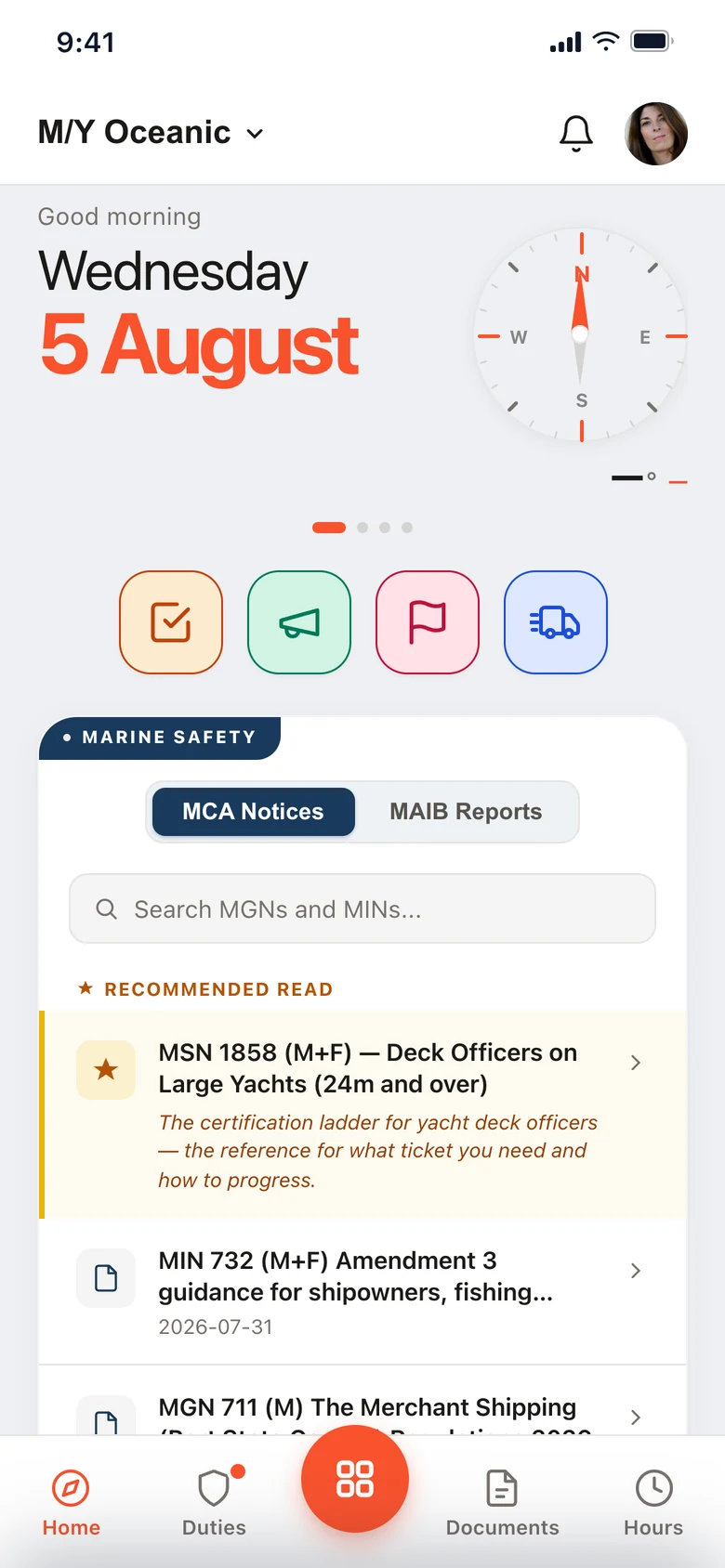
Running on superyachts every day.
Where everything is, right now
Each vessel carries its speed, heading, distance from the ship and the age of its last fix.
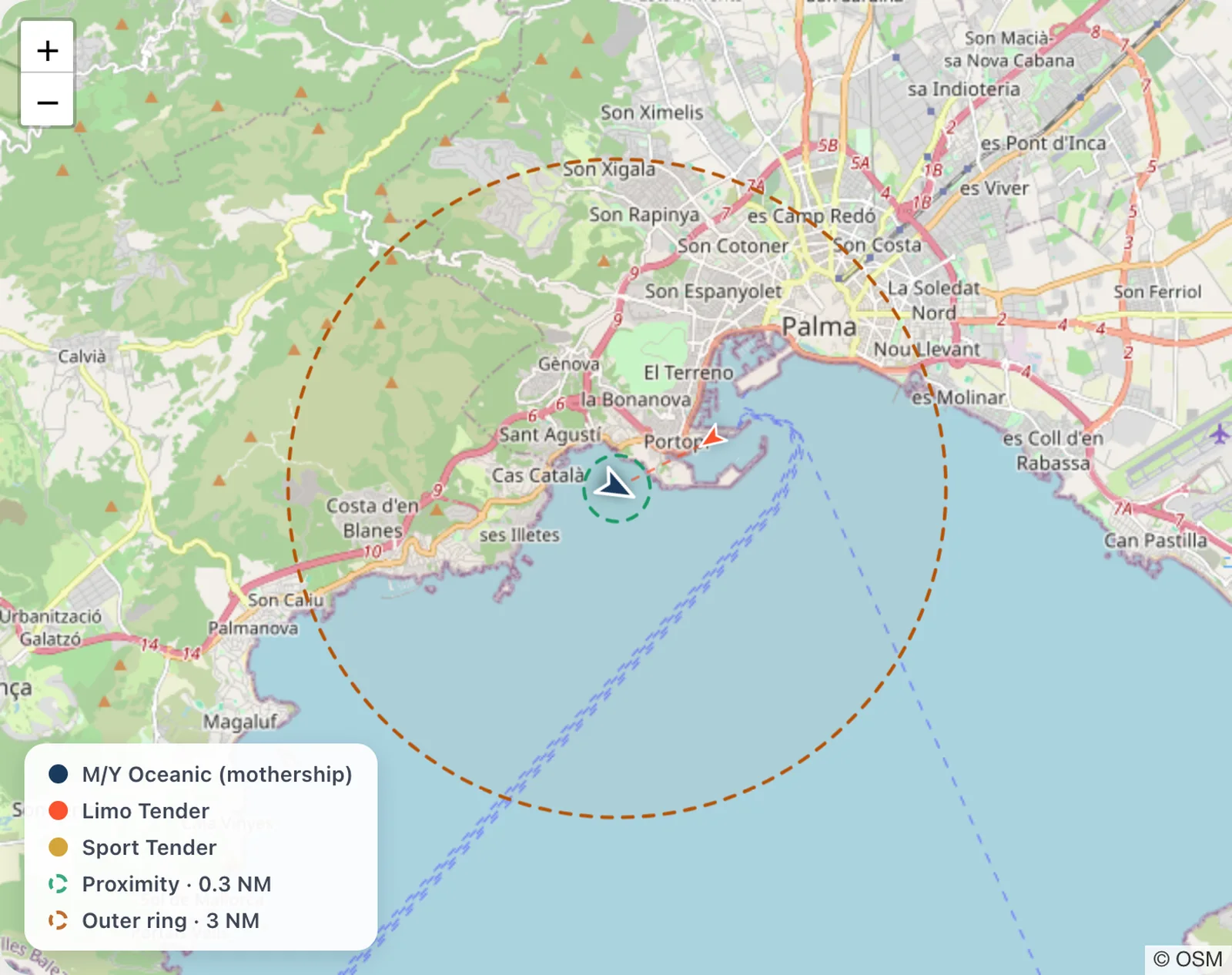 The mothership, two tenders, both rings
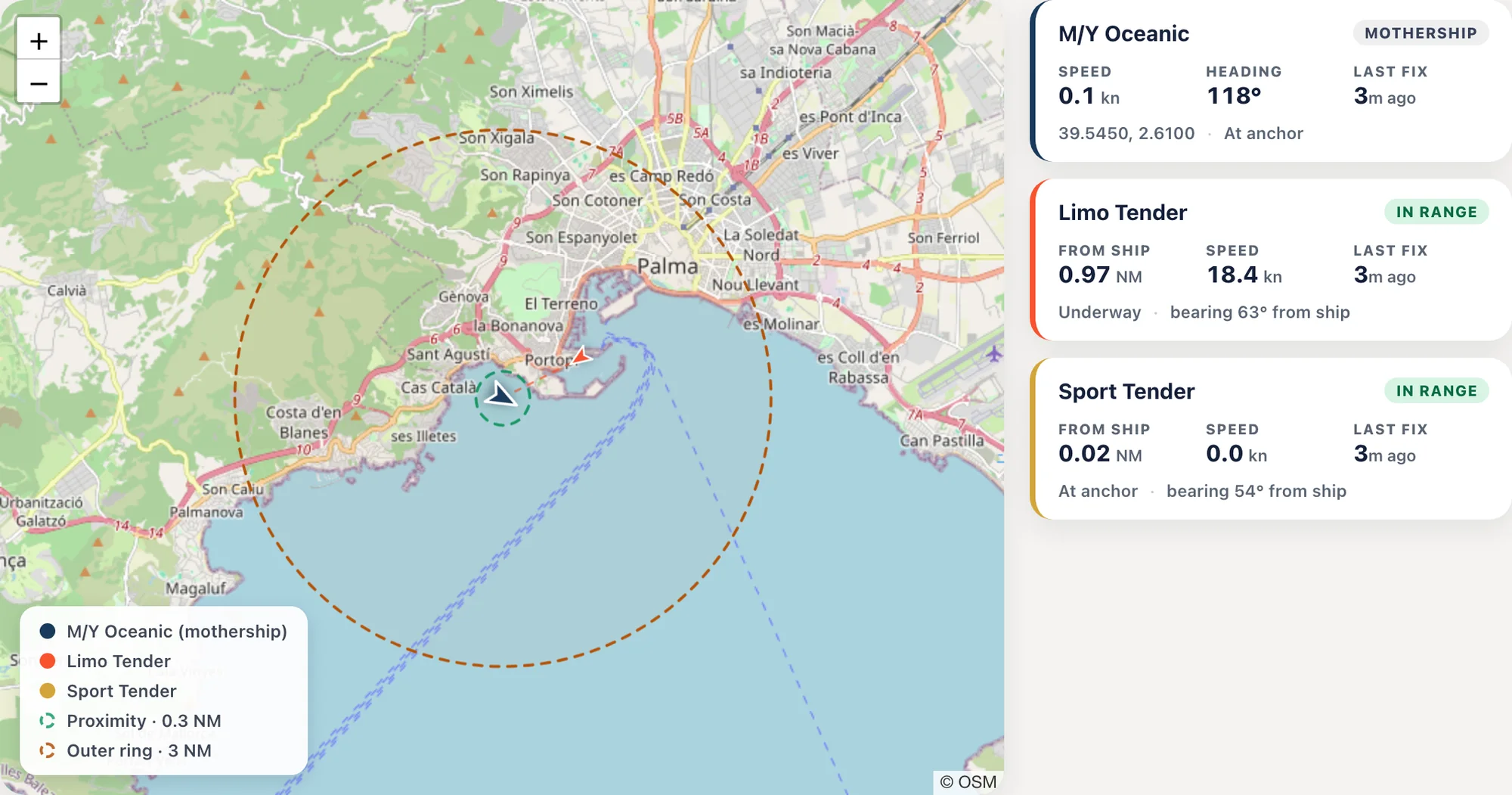 The chart and the vessel cards
Stale after five minutes
The chart and the vessel cards
Stale after five minutes
Fresher than the AIS a tender carries
Set the rate in the admin. Polling harder costs more calls, so the bridge sets the trade-off.
Every 2 seconds
- How often the tender’s own GPS reports its position up to InControl while you are watching it
Every 10 seconds
- How often we can pull those positions down. Adjustable from 10 seconds to 5 minutes
Every 30 seconds
- What a Class B AIS transponder, the kind fitted to a tender when one is fitted at all, gives you instead
A Class A transponder on a commercial ship reports every 2 to 10 seconds under way. This is not faster than that; it is faster than what is actually in your tender.
Two rings, and a phone that tells you
Set a proximity ring and an outer ring around the mothership. The crew who need to know are told, wherever they are on the boat.
- Inside the first ring. The tender is approaching. Every crew phone is told.
- Beyond the second. It is out of range, past the limit you set. Same push, and it clears itself when the tender comes back in.
- Crew choose whether they hear it. Anyone can mute tender alarms on their own phone, and crew on leave are never pinged. A Live Activity keeps the tender on the lock screen while it’s out.
Within 0.50 NM of the mothership (0.42 NM)
2.1 NM from the mothership — past your 2.0 NM limit
Go dark, and still see your tenders
Plenty of owners want the vessel off the public trackers. Switching AIS off used to mean losing sight of your own tenders too.
- These positions never touch AIS. They come over the tender’s own connection, to your own account, and go nowhere else.
- Invisible to the world, visible to the bridge. Nothing for a website to plot while the family is aboard.
- Nothing new in the tender. Most tenders already carry a Peplink or Pepwave router. Add the InControl key in the admin, name your devices, and the chart fills in.
Position only. Cloud-polled, so it stops when the tender’s router loses signal.
Tender tracking, answered.
What does it need in the tender?
A Peplink or Pepwave router, which most tenders already carry to get a signal. No AIS transponder, no dedicated tracker, nothing fitted.
How fresh are the positions?
The tender’s router reports to InControl every 2 seconds while you are watching. We pull those positions down as often as every 10 seconds, adjustable up to 5 minutes. A Class B AIS transponder reports every 30 seconds.
Does it work with AIS off?
Yes. The positions never touch AIS. They come over the tender’s own connection to your own account, so the mothership can be off the public trackers and still see every tender.
Does it track towing?
No. It shows position only. Tow protection needs bilge, battery and attitude sensors over a link independent of shore infrastructure, which is dedicated hardware. This is not that.
Try it with your tenders.
Free for 14 days. Per vessel, unlimited crew. The routers are already aboard.
14-day free trial. Refund policy