Superyacht visitor management
Visitor management done right.
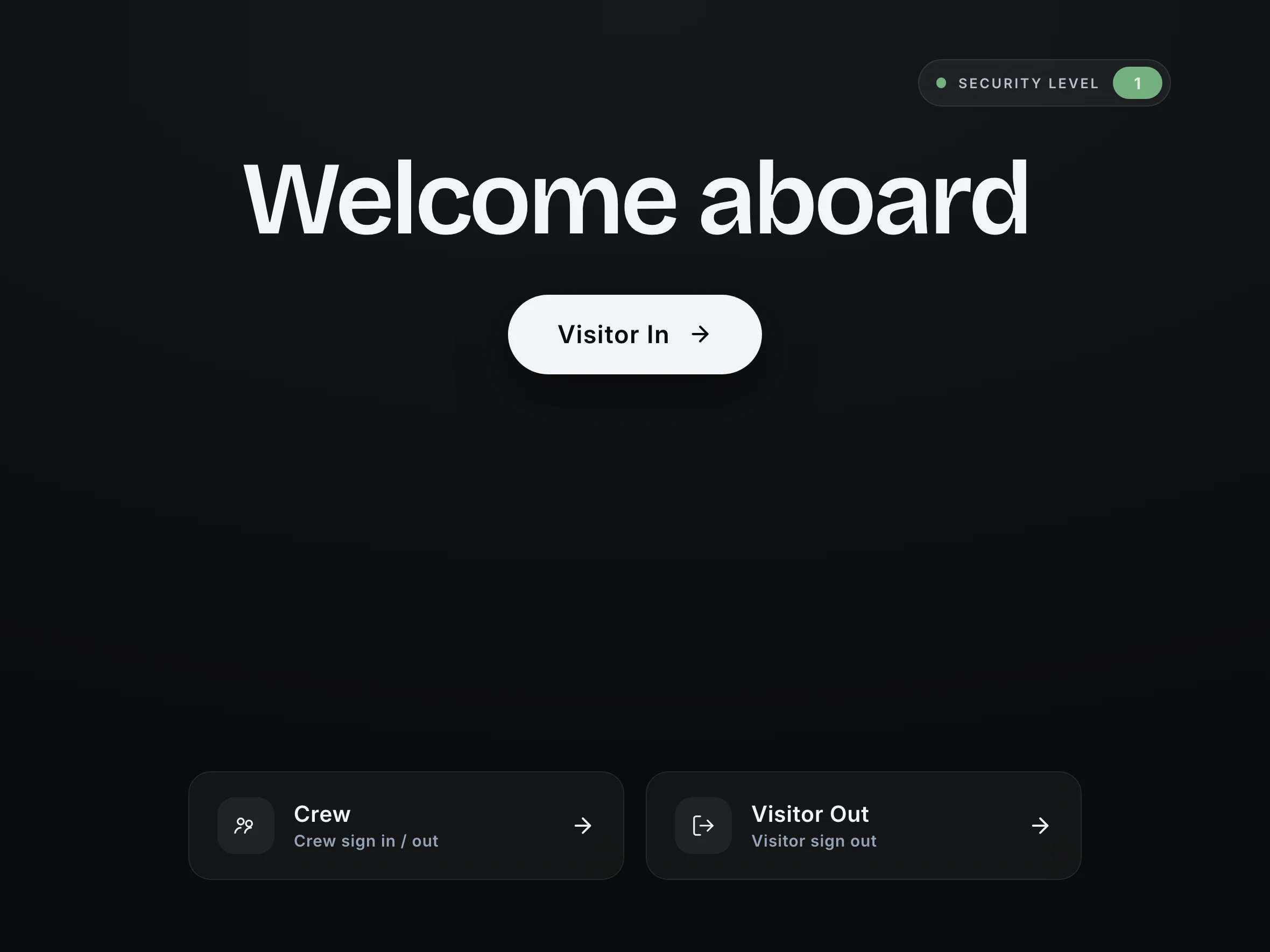
Visitors sign in on an iPad. You know who’s on board, and you’ve got the record to prove it.
Free for 14 days. From £110 a month. On board vessels 40m to 90m.

Julian Meyer is awaiting clearance at Gangway iPad.
Jordan Reyes has arrived at Gangway iPad.
Hi Marcus 👋 A visitor Security Search has been triggered on Gangway iPad during visitor check-in!
The paper visitor book, retired.
The book at the top of the passerelle
Half the entries can’t be read, nobody signs out, and producing it for port state control means an hour with a pen first.
The iPad at the door
Name, photo, host, agreement, ID, badge. About a minute, done by the visitor. The log writes itself and exports as a PDF.
Know who’s on board
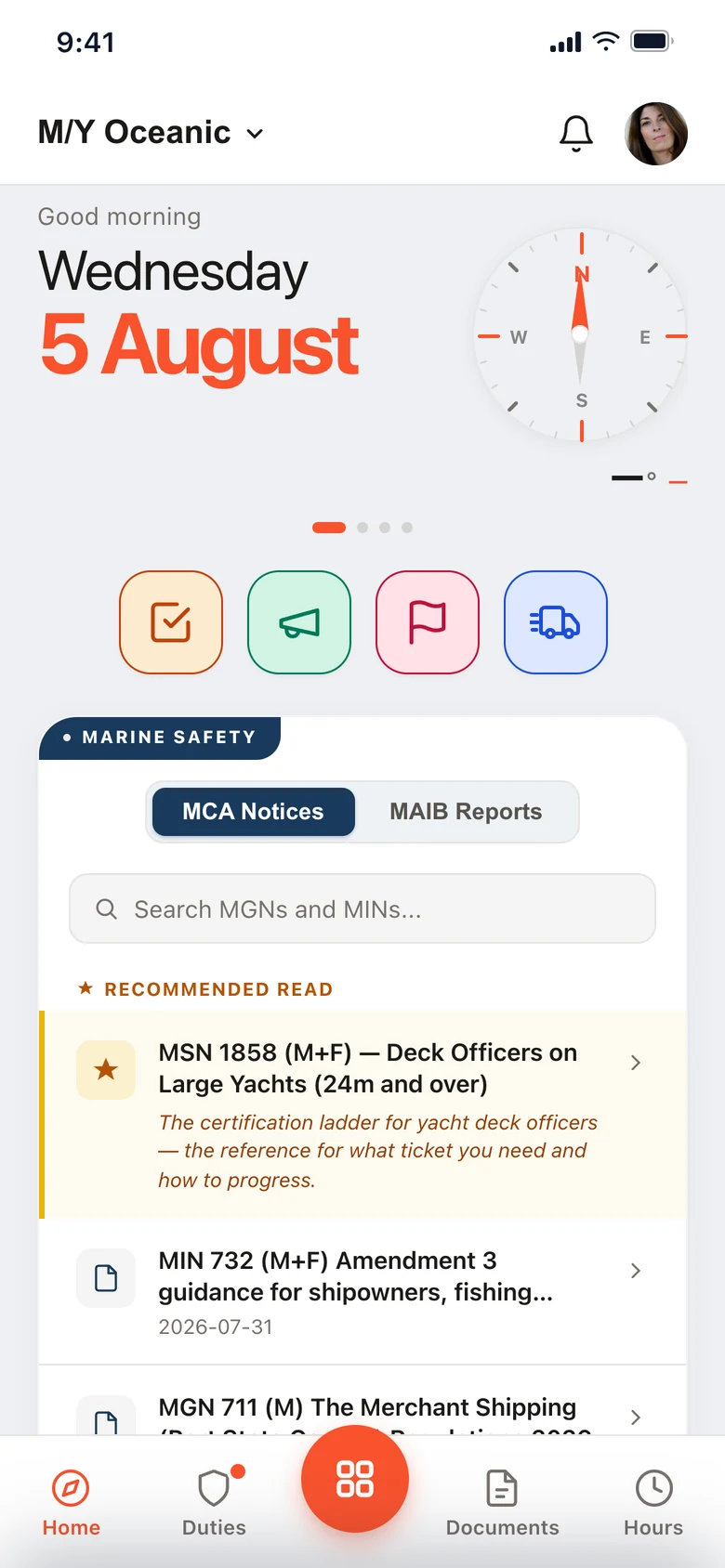
Everyone aboard right now, on the admin panel and on every crew phone.
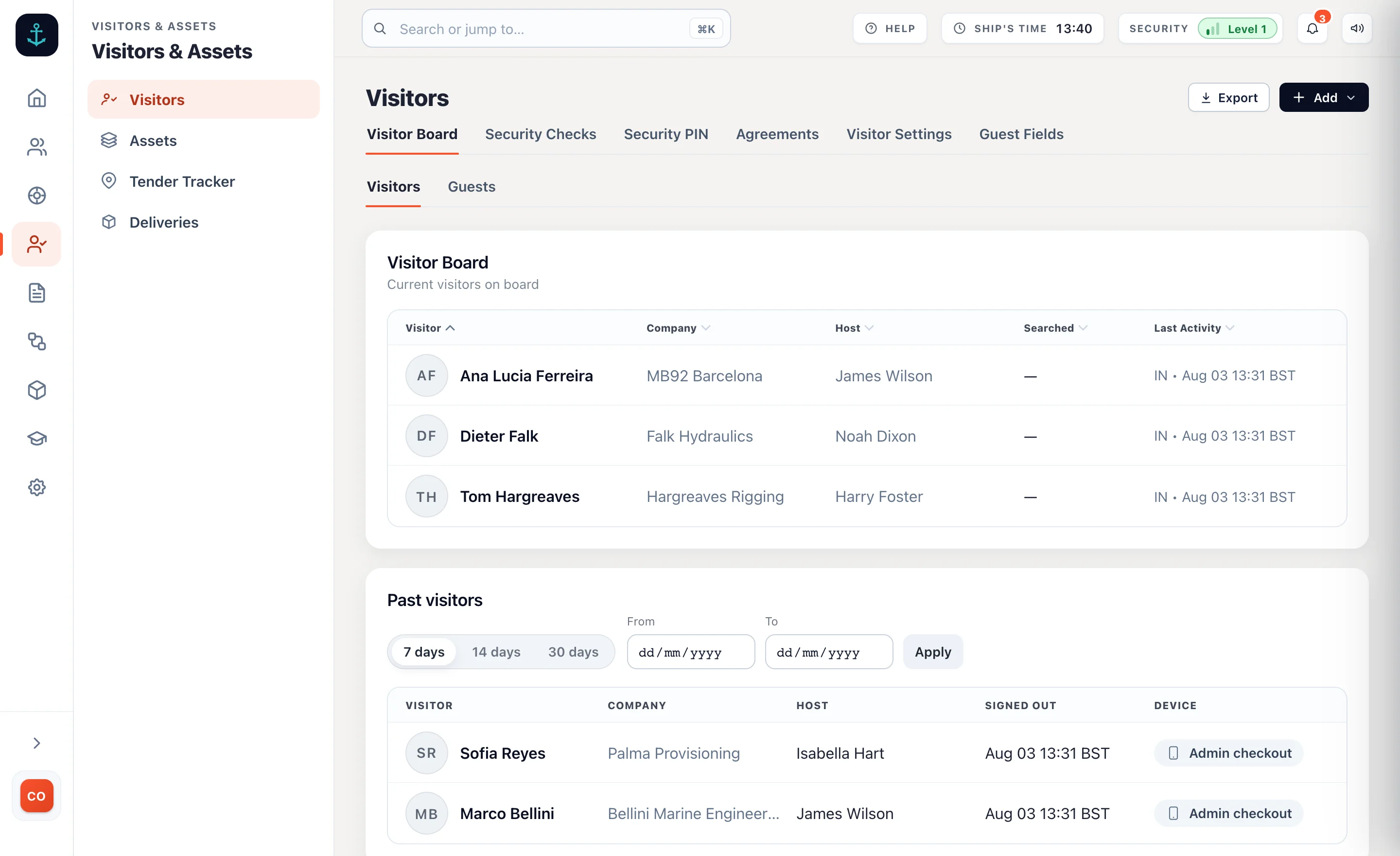 Visitors, in the admin panel
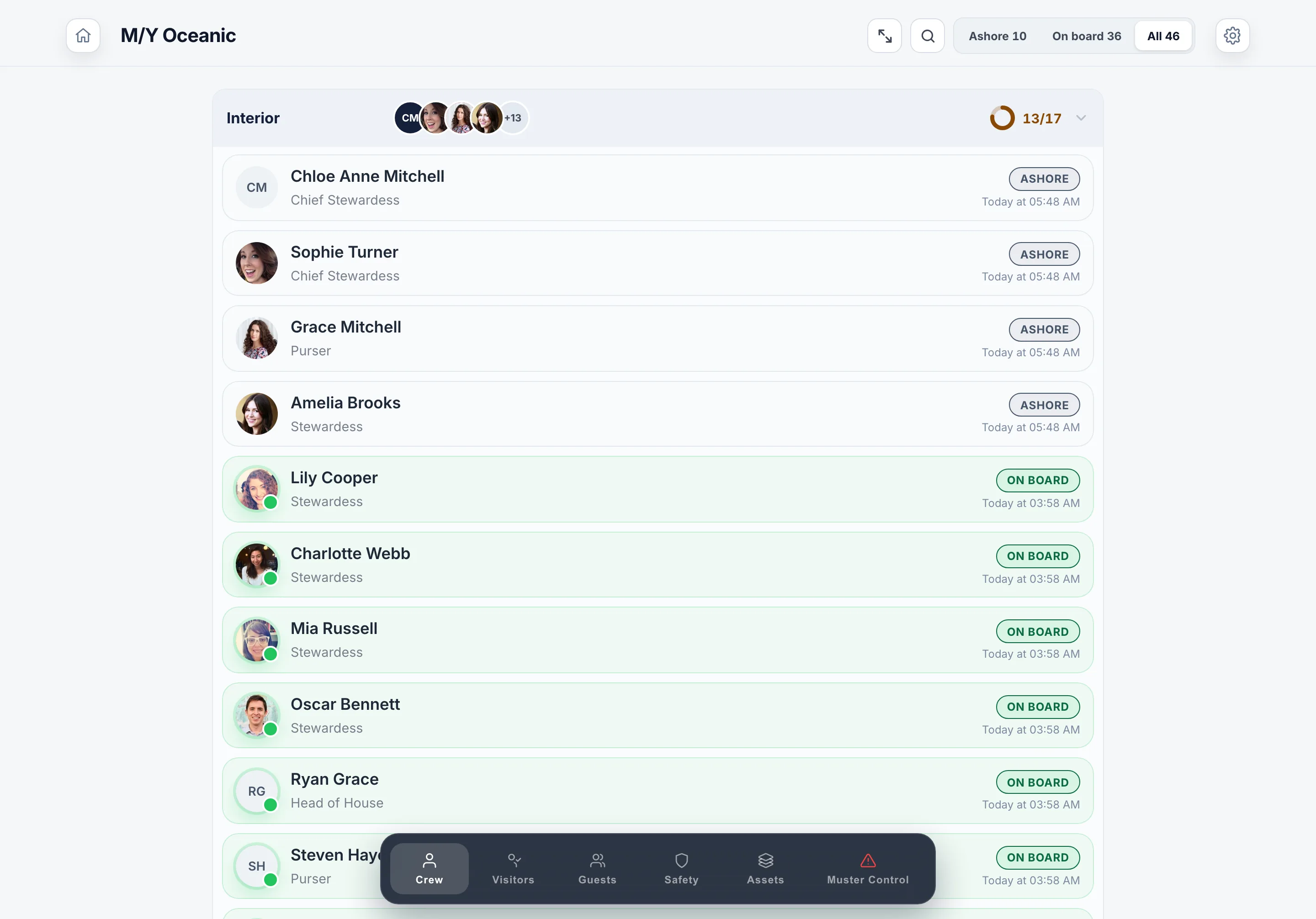 Crew, on the iPad
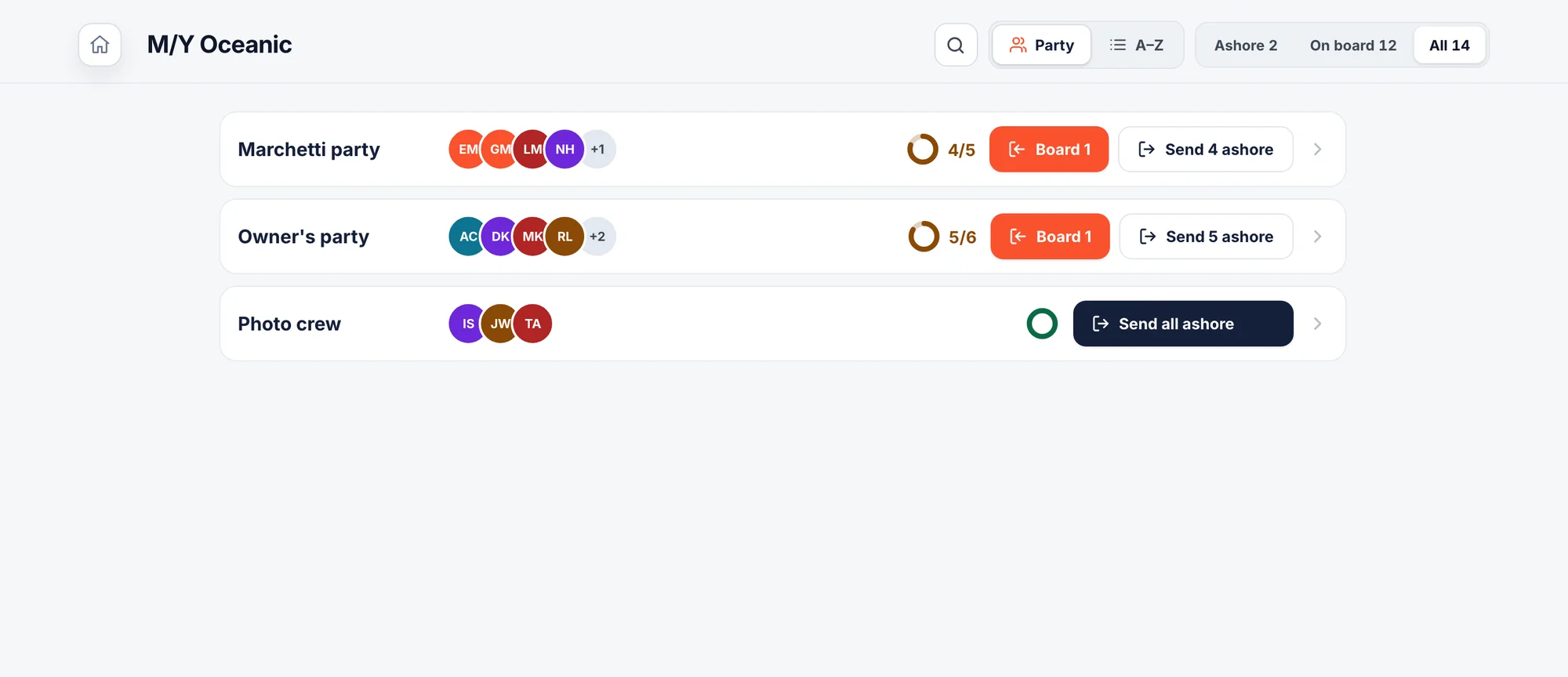 Guests, on the iPad
Sign visitors in on an iPad
Name, company, photo, agreement, ID. The visitor does it themselves in about a minute.
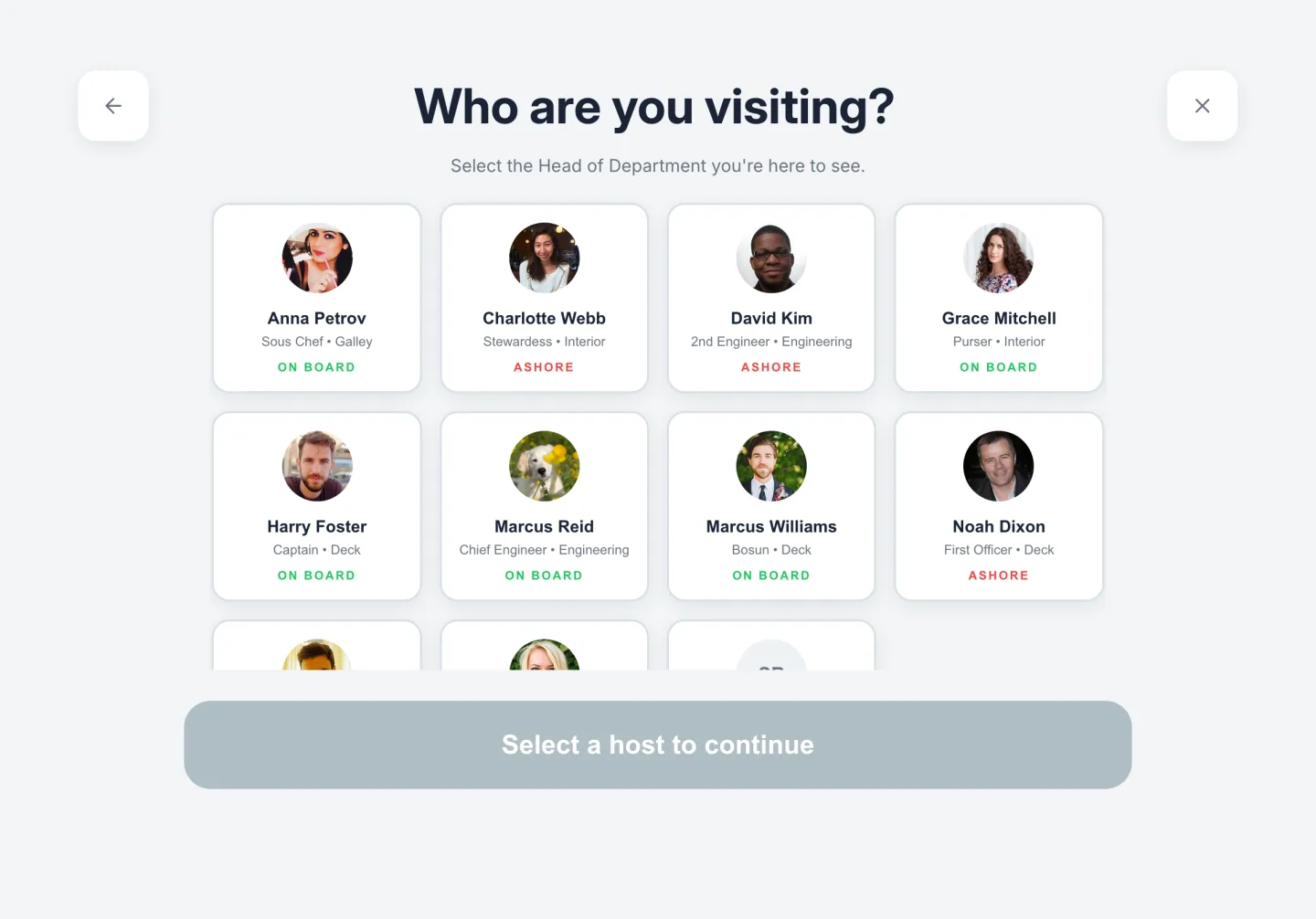 Who are you visiting?
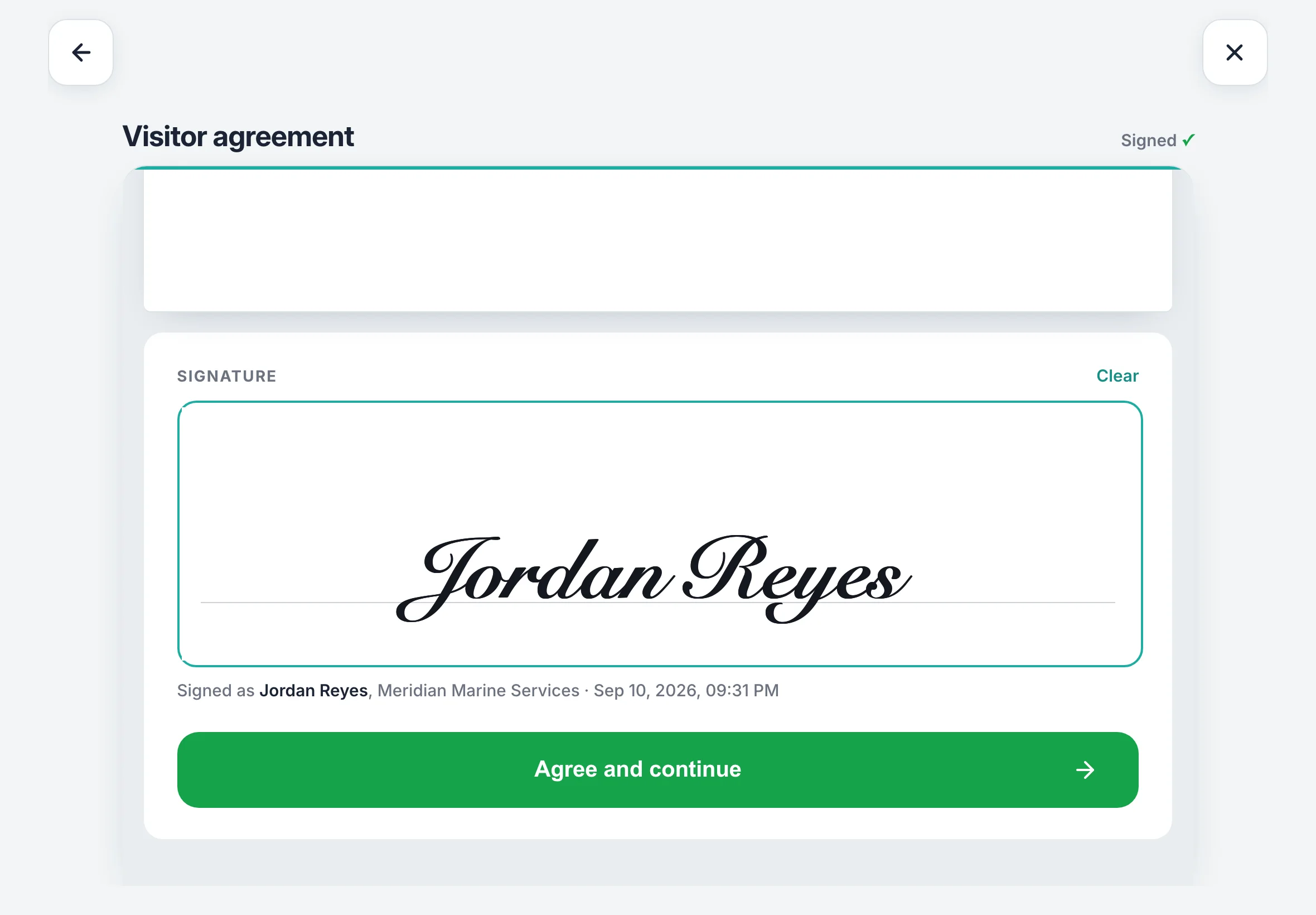 Your agreement, signed on the iPad
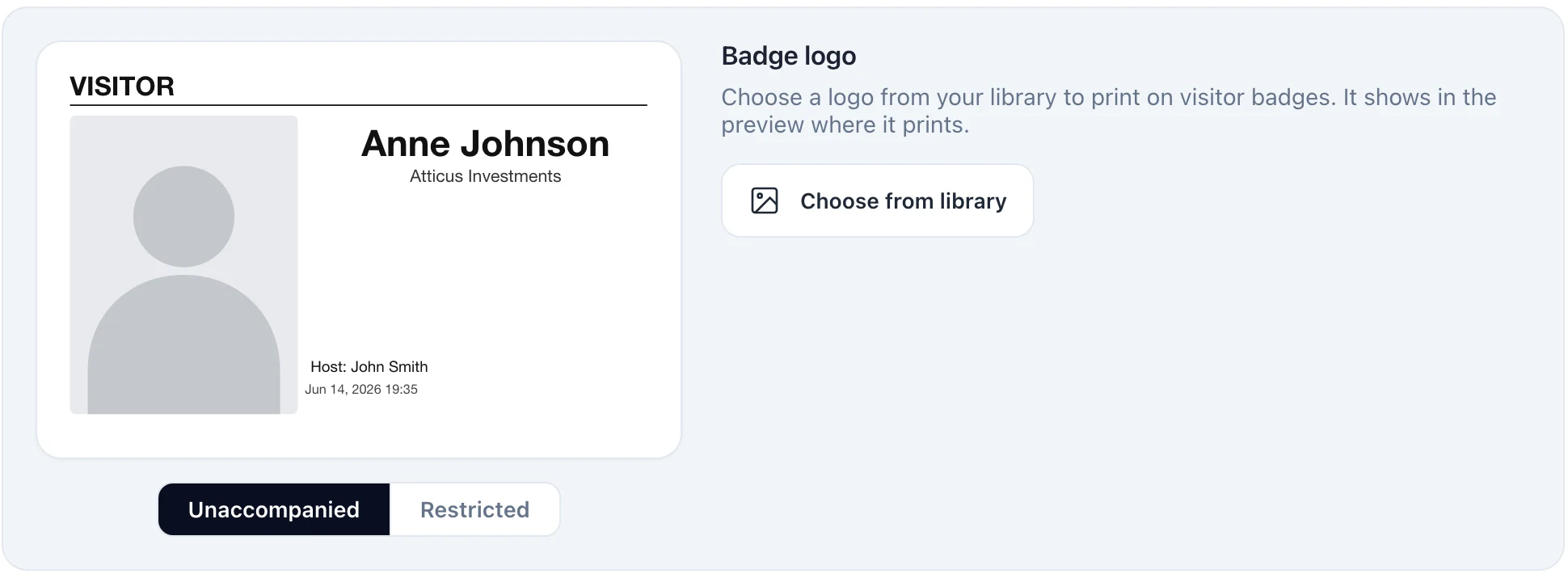 The badge, as it prints
What it covers
From the day before they arrive to the PDF for port state control.
Before they arrive
- Pre-boarded from a crew phone
- A visitor pass by email, for the days you set
- Returning visitors remembered
- Guests and their cabins
At the door
- Photo and company
- Host picked from a list of faces
- Your agreement, read and signed
- Passport or ID scanned, name matched
- Badge printed as they sign in
- Searched when the level says so
While they’re aboard
- On the board, in the admin and on every crew phone
- Counted on the muster
- Host told by push, WhatsApp or email
- Signed out at knock-off, automatically
The record
- The visitor log, searchable by name, company or date
- A PDF for port state control
- Every signed agreement kept with the visit
- Kept as long as you set
Make the iPad yours
The welcome screen is yours to set up, and it applies to every iPad on the vessel.
- Five designs. Classic, light, dark, serif or colour.
- Your photos or your logo. Up to twenty backgrounds on a slideshow.
- Name the buttons what you like. And show the security level and souls on board if you want to.
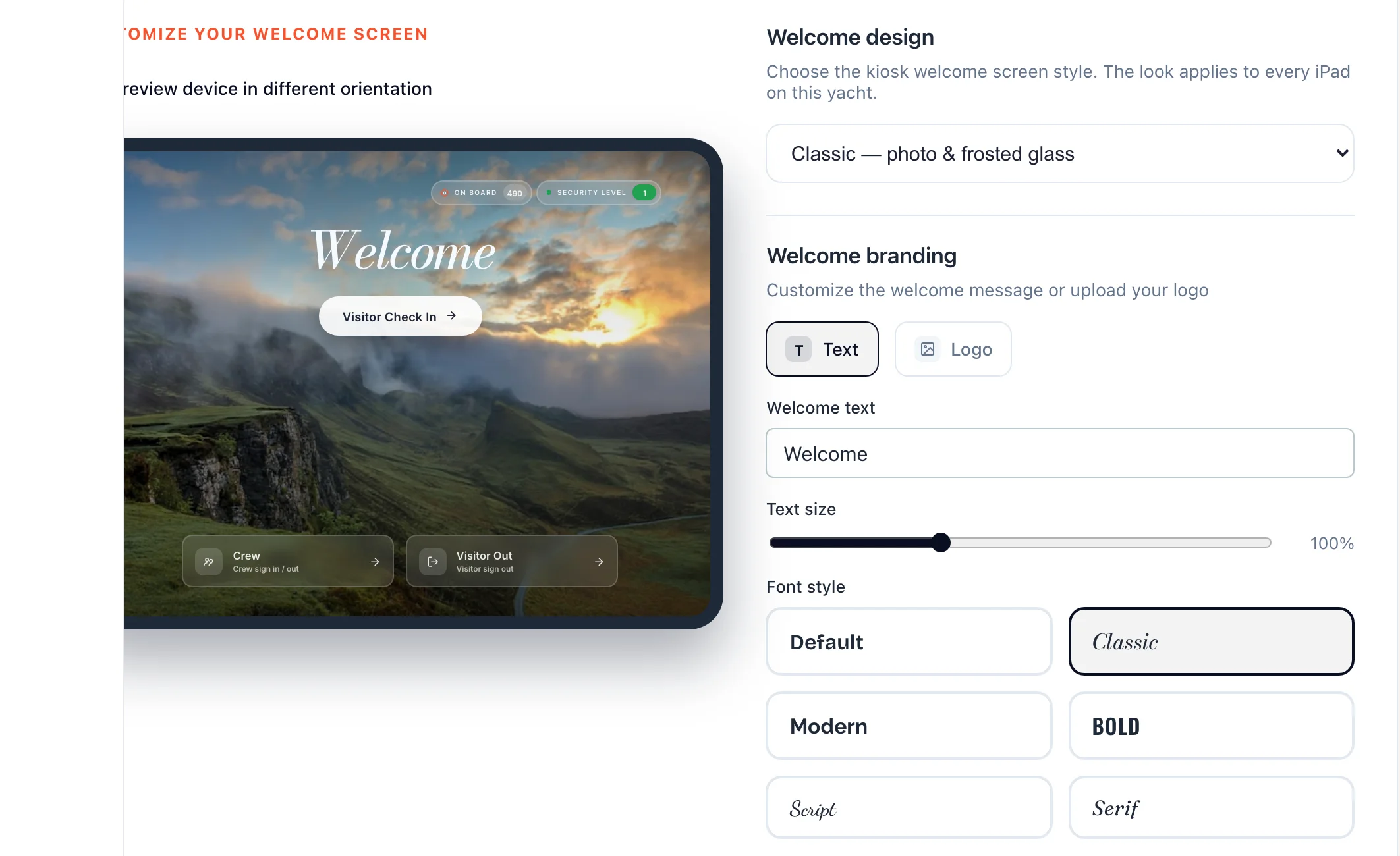 The welcome screen builder in the admin
Get told when someone arrives
The person they’re visiting hears straight away, on whatever they have in their pocket.
- A push on Muster Mate. With the visitor’s name and photo.
- A WhatsApp. For crew who live in it.
- An email. To the admins, with the signed agreement attached.
Jordan Reyes has arrived at Gangway iPad.
Julian Meyer is awaiting clearance at Gangway iPad.
Keep your ISPS record
Set the security level once. Searches, crew PINs and alerts follow it, and the log keeps itself.
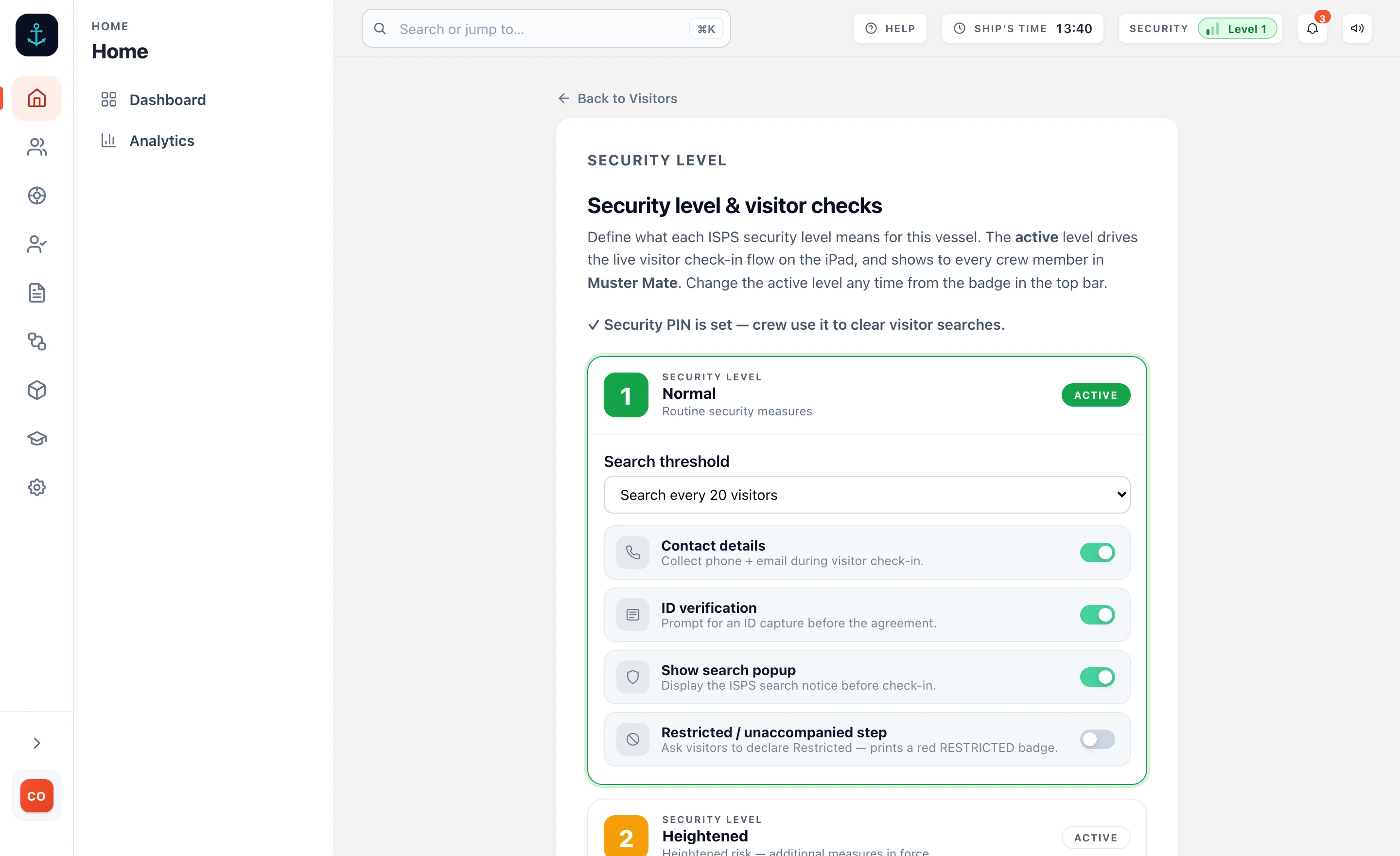 The security level, in the admin
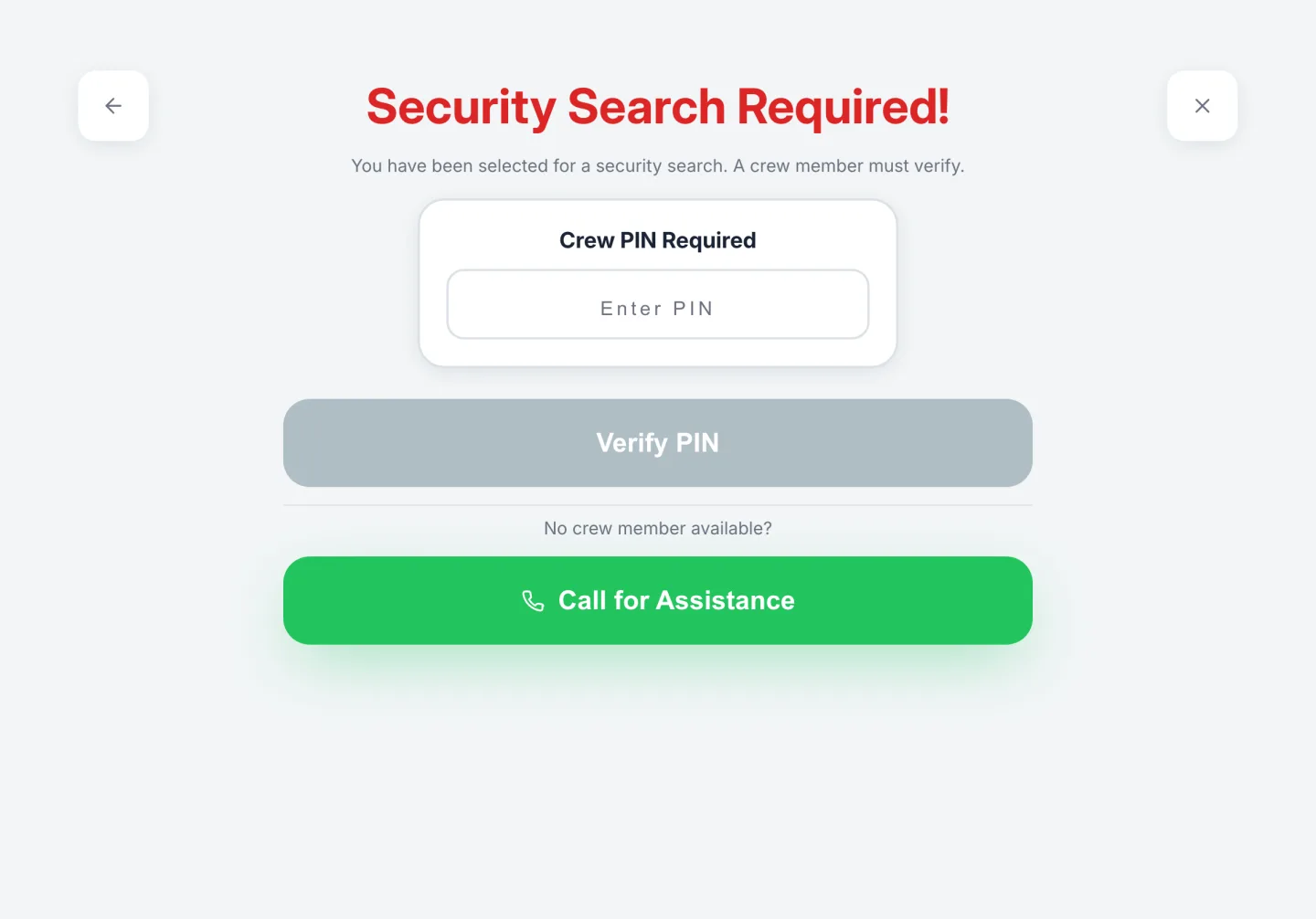 A search, held until cleared
The log, exported as a PDF
A search, held until cleared
The log, exported as a PDF
Give regulars a pass
Contractors, agents and anyone who comes back. Sign them in once and let the system remember them.
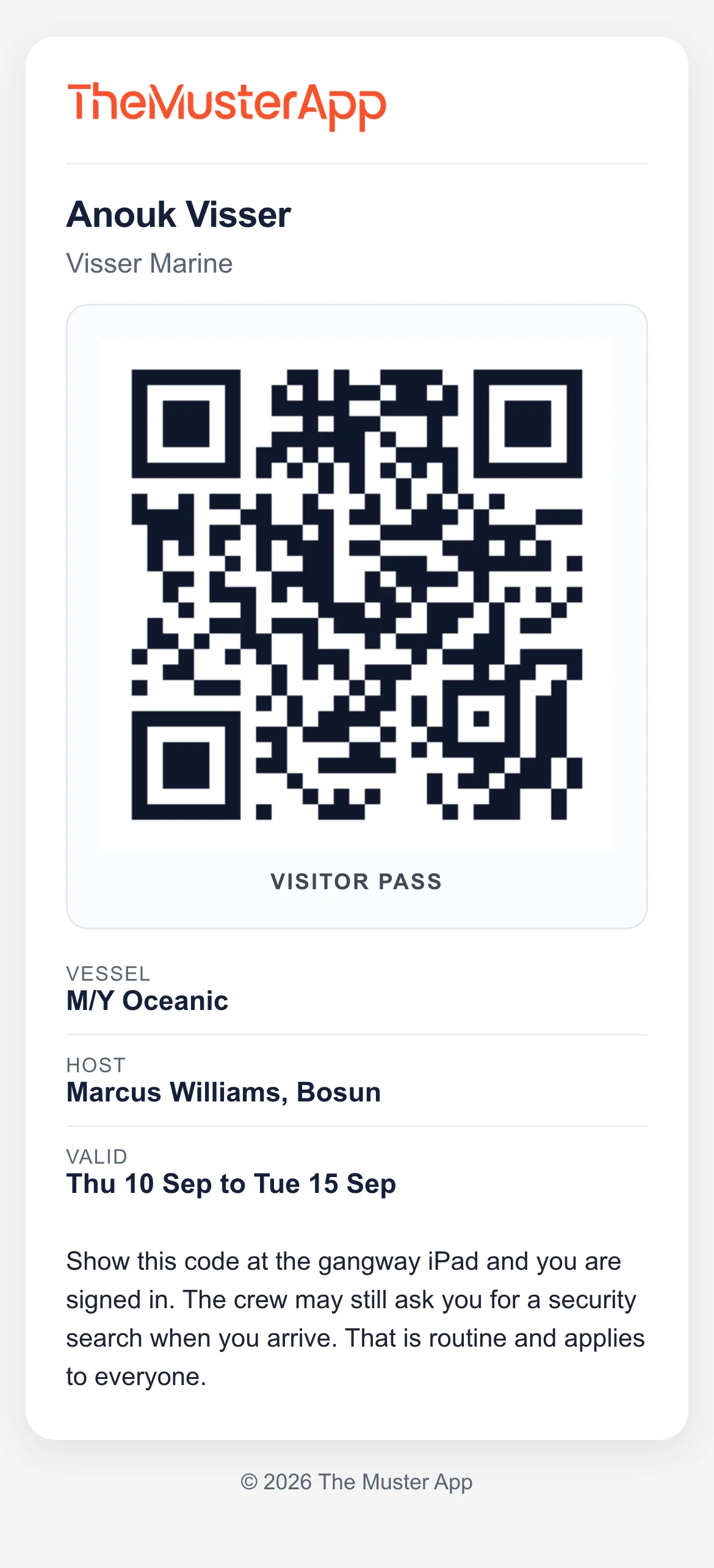 The pass, on their phone
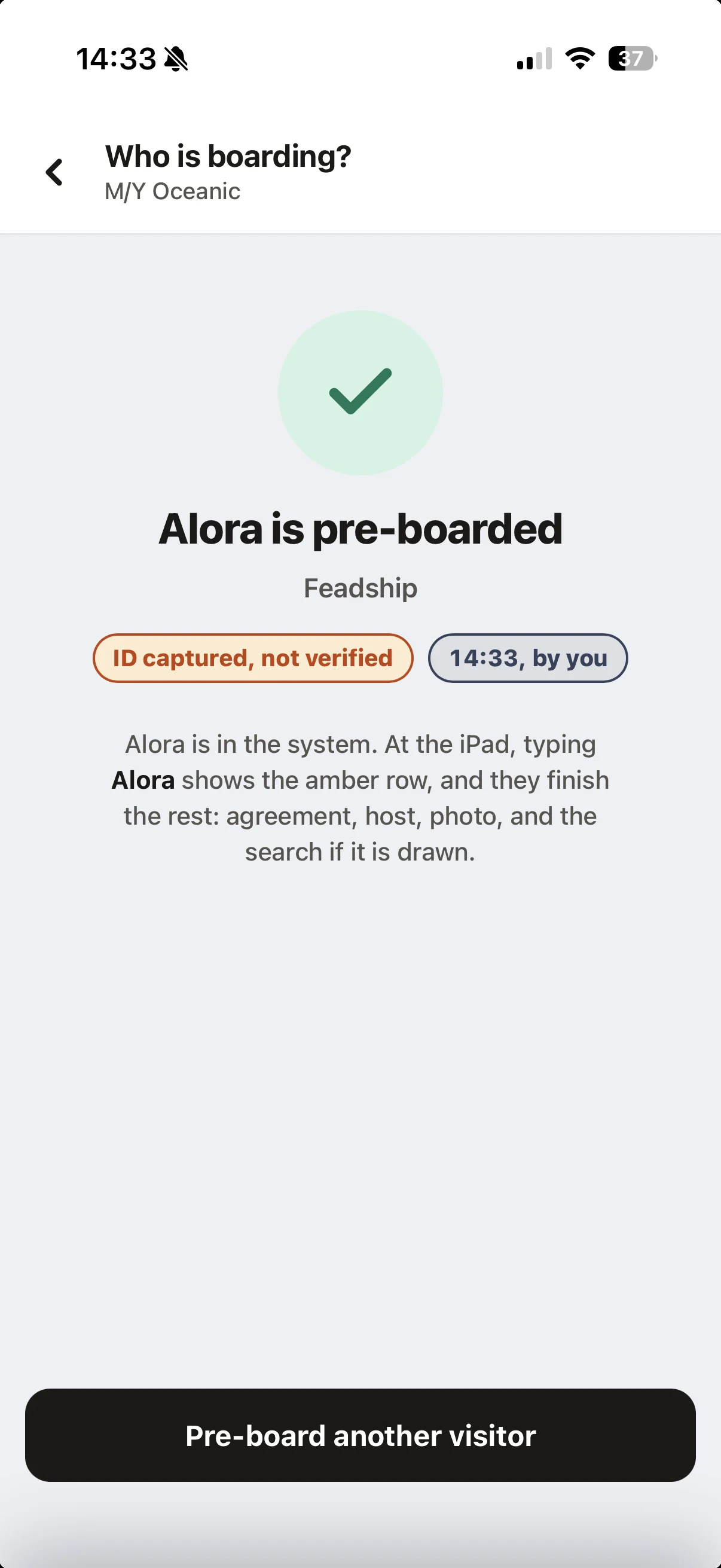 Pre-boarded from a crew phone
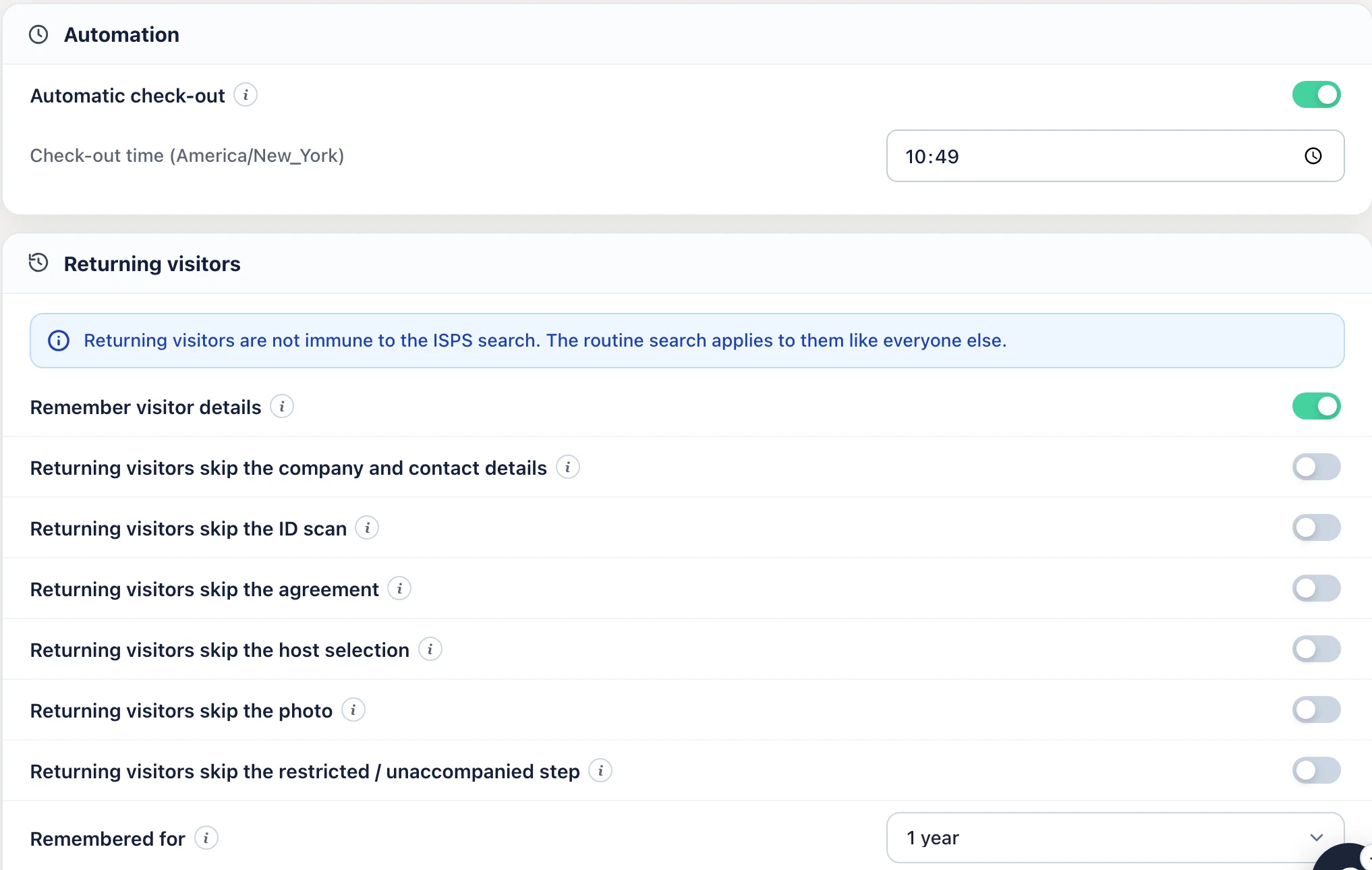 Returning visitors, in the settings
The Muster App has become one of those tools we use without really thinking about it. It’s made everyday tasks easier and has also got the crew more engaged with safety and their responsibilities onboard.
- 520+Visitor sign-ins
- 1,370+Guest movements
- 190+Drills recorded
Superyacht visitor management, answered.
What is a superyacht visitor management system?
Software that signs visitors, guests and contractors in and out of a yacht and keeps the visitor log. The Muster App is superyacht visitor management on an iPad at the door, on board vessels from 40m to 90m. It runs on an iPad: a photo, a named host, a signed agreement, an ID check and a printed badge on the way in, one press on the way out, and a searchable log with a PDF export for inspections.
Is it for luxury yachts or commercial superyachts?
Both. Luxury yacht visitor management and commercial superyacht visitor management are the same job at the door: know who is aboard, hold the evidence, follow the ISPS level. It runs today on vessels from 40m to 90m.
Does it replace the paper visitor book?
Yes. The log records who boarded, when they arrived, when they left, who they were visiting, who cleared them, whether they were searched, the agreement and the ID check. It is always legible, searchable by name, company, host or date, and exports as a PDF.
How does it handle ISPS security levels?
The vessel sets its security level and the iPad follows it. At the level you choose, visitors are selected for a search and held on the iPad until a crew member enters a PIN to clear them. Crew phones are told on arrival and on every triggered search. How the three levels work
Is it different from an office visitor sign-in app?
Office sign-in apps stop at the sign-in. A superyacht needs the security level, the search, the muster count, the agreement, the ID check and the visitor log. Those are built in here. What changes when a sign-in app moves aboard
Can a contractor get a pass for a yard week?
Yes. A visitor pass is a QR code on the printed badge and in the visitor's email, valid for the days you set, up to 90 days. Scanning it at the iPad signs them in without repeating the steps. It can be revoked in one press, and the routine ISPS search still applies.
Do returning visitors have to sign the agreement every time?
Not if you choose. A returning visitor is recognised by name with their details filled in from the last visit, and at security level 1 the vessel can let them skip the ID scan and the agreement for a period you set. A crew member can also pre-board a visitor from their own phone so the iPad already knows them.
Does it print visitor badges?
Yes. A badge with the visitor's name, photo and host prints on a Brother label printer as they sign in. A visitor who has to stay with their host gets a red Restricted badge, and a badge can be reprinted in one press.
Can the captain or management see who is on board from ashore?
Yes. The admin panel runs in a browser, so the captain, the purser and the management company see the same board wherever they are: who is aboard, who has left, and every visit on record.
What hardware does it need?
An iPad at the door. A Brother label printer if you want badges. Crew use their own phones. Hardware
What does it cost?
Visitor management is on every plan, from £110 a month per vessel with unlimited crew and unlimited visitors, and a 14-day free trial. See pricing
Try it on your boat.
Free for 14 days. From £110 a month. An iPad at the door and you’re running.
Unlimited crew and visitors. Refund policy